Net Neutrality

Net Neutrality

This article deals with ‘ Net Neutrality.’ This is part of our series on ‘Science and Technology’ which is an important pillar of the GS-3 syllabus. For more articles, you can click here.


Net Neutrality was in the news because

  • Federal Communication Commission of USA decided to END Net Neutrality. 
  • TRAI upheld net neutrality in India. 
  • Countries like Chile have made laws to protect Net Neutrality.
  • Internet.org / Free Basics of Facebook was in the news. 


Concept of Net Neutrality

Net Neutrality is derived from how telephone lines have worked since the inception. In the case of telephone, whether a person is calling a government office or restaurant or school or drug seller, the Operator cant deliberately delays the call or block the access, unless forced by the law.  

View it using another example. Internet acts as a road for websites and apps to reach their customers. Presently, there is the same road for all websites whether it is giant like Facebook or any other site. But in case of its absence, giants like Facebook, Youtube etc can pay ISPs to reserve the fastest lane of the road for them so that they can reach their customers at a higher speed.
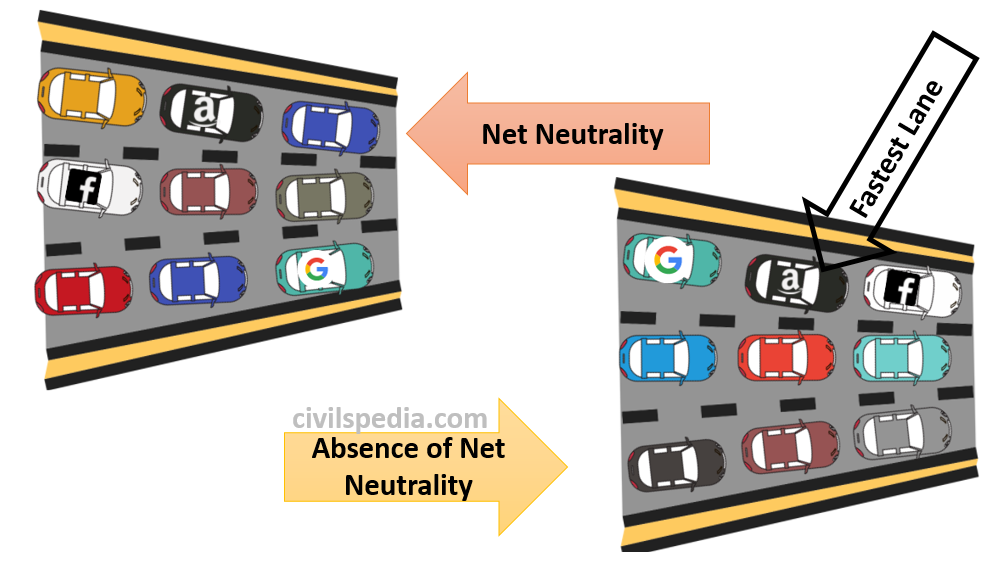
Net Neutrality

In the 1990s, when the internet started to gain popularity, no rules were specifying that Internet Service Providers (ISPs) have to follow these rules but since Telecom Operators were ISPs they extended this principle to Internet Services as well. This came to be known as Net Neutrality.

Hence, ISP can not control the traffic that passes its servers. When a web user connects to a website or any web service, he or she should get the same speed. The data rate for Youtube videos and civilspedia.com should be theoretically the same. 

In simple language, every packet of data should be charged & considered the same whether it is used for any purpose & the user can be charged only for the volume of data packets.

For a system to be Net Neutral, it should satisfy three conditions –  

  1. For every type of surfing, there should be the same speed. 
  2. To use a specific site or application there should be no separate charges. 
  3. Access to any site or application should not be given free of cost. 

Side Topic: Internet Fast Lanes

  • Internet fast lanes will enable Internet providers to make deals with certain companies to give preferred access to their services, thereby hampering the principle of equality.
  • This practice could potentially restrict the growth of Startups and strengthen illegal monopolies. 


How Net Neutrality Shapes the Internet ?

  • Level Playing Field: Net Neutrality has created a level playing field for all players irrespective of their size and money power on the internet. To start a website or any web service, a person doesn’t need a lot of capital (the idea is more important).  If the service is good, it will automatically attract users.
  • Net Neutrality is the main reason why companies like Google, Facebook, Twitter etc. have been able to challenge earlier web giants like Oracle, IBM etc. despite their modest resources in the beginning.  


If there is no net neutrality  then??

There are a large number of implications:-

  • ISPs will have the power and inclination to shape internet traffic. They can give free access or fast access to certain websites to give them extra leverage. 
  • It can end in the monopoly of old giants.  
  • It will also spell doom for innovation on the web. This will create an unlevel playing field for start-ups and small players in the business.
  • The right to receive information from diverse media resources is included in Right to Freedom of Speech (Supreme Court in Indian Express Newspapers vs Union of India (1985)).

Arguments against net neutrality in India 

  • Government auctions only limited amounts of spectrum and create artificial scarcity forcing companies to pay huge amounts to acquire spectrum. Hence, Companies are right to charge differently for the usage of different bandwidths.
  • To increase investment in Broadband infrastructure, Net Neutrality regulations need to be relaxed so that ISPs can charge companies like Netflix (This argument was given by the Federal Communication Commission of the US).
  • These services are hardly used by India’s poor and end up slowing down access to the basic services that less economically privileged citizens need more. 
  • Tim Berners-Lee, who invented the World Wide Web did not patent it so the world could benefit.


AK Bhargava Committee Recommendations (2017)

  • The committee accepted the principle of Net Neutrality. 
  • But opined that there is not a single standard definition of Net Neutrality. 
  • We need a proper regulatory mechanism wrt Net Neutrality in India and for that TRAI should take appropriate steps. 


TRAI Guidelines

  • It upheld Net Neutrality.  
  • TRAI also felt the need for a watchdog for enforcing Net Neutrality.
Networking

This article deals with ‘ Networking (for UPSC).’ This is part of our series on ‘Science and Technology’ which is an important pillar of the GS-3 syllabus. For more articles, you can click here.


Networking

Networking consists of all the components (hardware & software) involved in connecting computers across small & large distances.

Networking

Types of Networks

1. Personal Area Network (PAN)

  • PAN is used to connect devices over a very short area (~10 metres) like a small room. 
  • Bluetooth is the example of a wireless PAN network while USB is the example of a wired PAN network.

2. Local Area Network (LAN)

  • LAN is used to connect devices that are geographically close like in the Home, Building, Campus etc.
  • They are designed to allow resource sharing. The shared resource can be hardware (like printer, database), software or data. 
  • LAN network maybe just two computers & printer or hundreds of interconnected computers. 
  • Mostly used LAN networks are Ethernet, Fast Ethernet (FE), Gigabit Ethernet etc. 

3. Wide Area Network (WAN)

  • WAN is used to connect devices that are geographically separated.

4. Metropolitan Area Network (MAN)

  • MAN is a hybrid between LAN & WAN. 
  • Like WAN, MAN usually connects two LANs in the same geographical area with a range between 5 to 50 km. 
  • But WAN usually gives low to medium speed whereas MAN can give high speed up to 1.54 Mbps.
  • An example of MAN includes a telephone company network providing a high DSL line to the customer. 

5. Storage Area Network

  • It provides high-speed infra to move data between storage devices.
  • Fibre channels are used for connection (rate exceeding 1Gbps).

Methods to create Networks

Methods to create Network

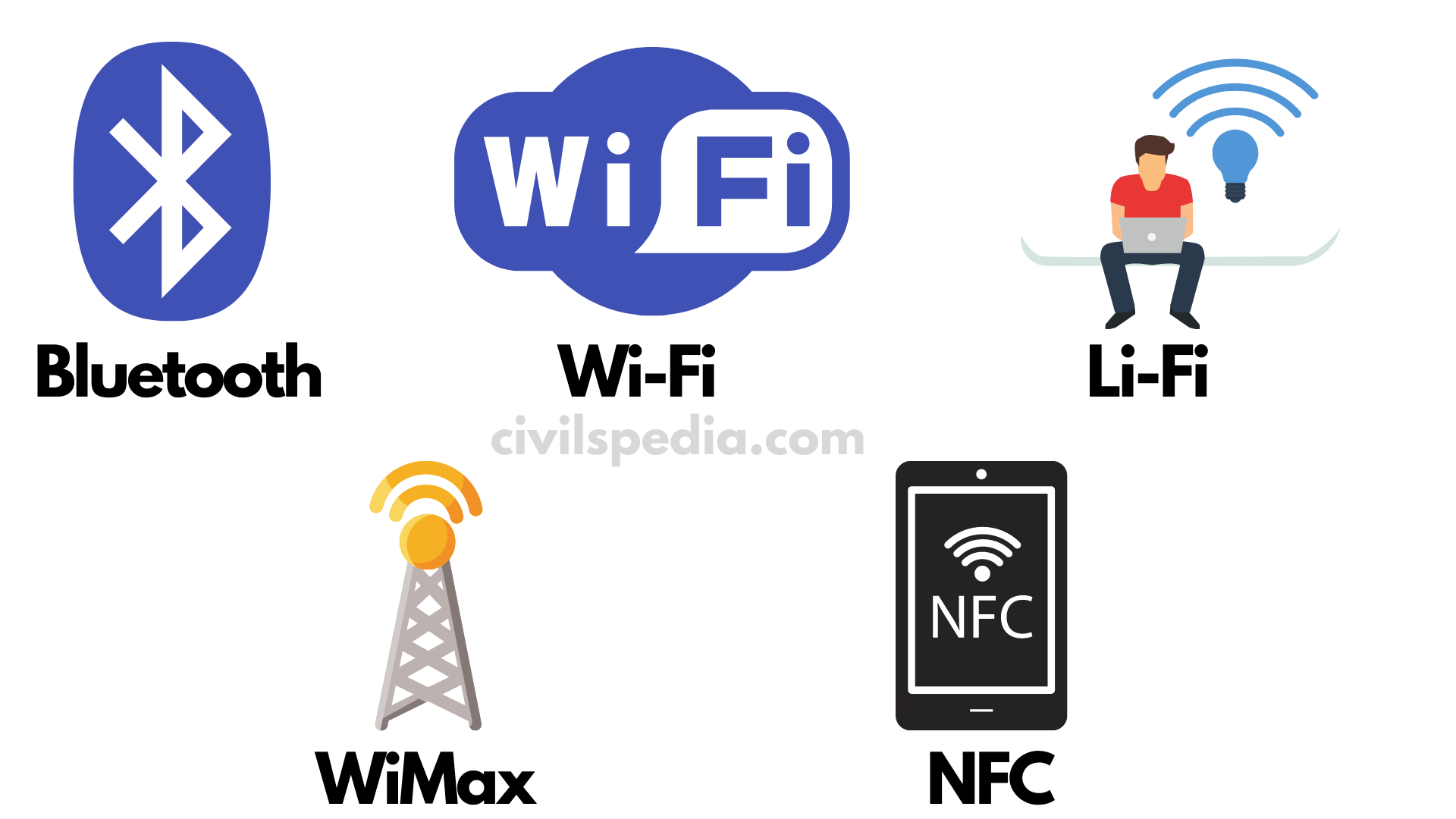
1 . Bluetooth

  • Bluetooth derives its name from the Scandinavian king, Harald Bluetooth.
  • Bluetooth is a wireless technology standard for exchanging data over short distances (up to 10 metres) from fixed and mobile devices by creating Personal Area Networks(PAN) with high levels of security. 
  • It uses radio technology. Hence, they don’t have to be in the visual line of sight. 
  • It provides a secure way to connect & exchange info between devices such as faxes, mobile, telephones, GPS, video game consoles etc.


2. Wi-Fi

  • Wi-Fi = Wireless Fidelity
  • Wi-Fi allows electronic devices to exchange data wirelessly using radio waves. 
  • Devices that use Wi-Fi can connect to a network resource such as the internet via a wireless network access point.
  • It has a range of 20 m. 
  • Wi-Fi can operate at 2.4 GHz to 5 GHz. 
  • Wi-Fi allows cheaper deployment of LANs especially in spaces where cables can’t be run (such as outdoor areas & historical buildings). 

Bluetooth vs Wireless

Similarity Some similar applications are setting up networks, printing or transferring files.
Intended use 1. Wi-Fi: Intended as a replacement for cabling for general local area network (LAN) access in work areas.
2. Bluetooth: Intended for portable equipment & its applications.
Range Wi-Fi uses the same radio frequency as Bluetooth but with a higher power, resulting in higher bit rates & better range. Hence the range of Wi-Fi and Bluetooth are as follows
1. Wi-Fi – 100 m
2. Bluetooth – 10 m

3. Li-Fi

  • Li-Fi = Light Fidelity
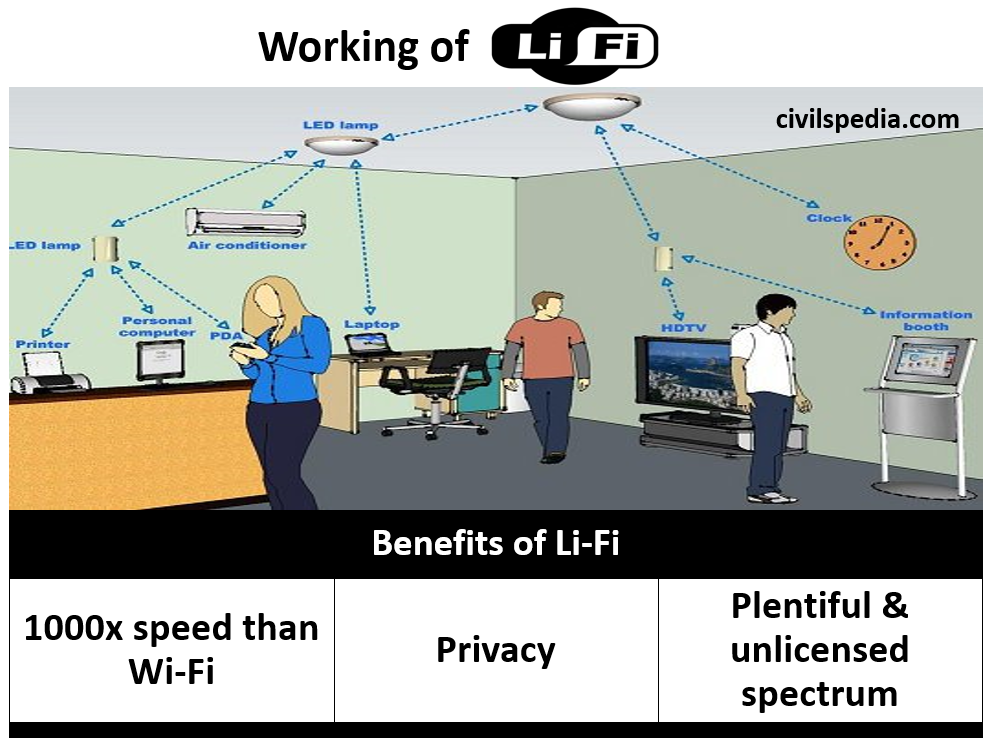
  • It refers to using visible light waves (instead of Radio Waves) communication which delivers high speed and bidirectional network mobile communication like Wi-Fi.
  • It is presented as an eventual replacement for Wi-Fi transmitting internet using photons instead of radio waves to deliver data. 

Benefits?

  • Li-FI can achieve 1,000X speed that of Wi-Fi.
  • Spectrum is plentiful, free & unlicensed. 
  • Since photons cant penetrates walls hence won’t work out of sight but has the advantage of additional privacy.
  • It can be used in aircraft cabins, petroleum plants, hospitals and nuclear power plants without causing electromagnetic interference as it uses visible light. 
  • It can work underwater as well.
  • It has the double benefit of bulb giving light as well as internet access. 
Working of Li-Fi

4. WiMAX

  • WiMax = Worldwide Interoperability for Microwave Access 
  • It is designed to provide 1Gbps  data rates for fixed stations.
  • It is part of 4G communication technology. 
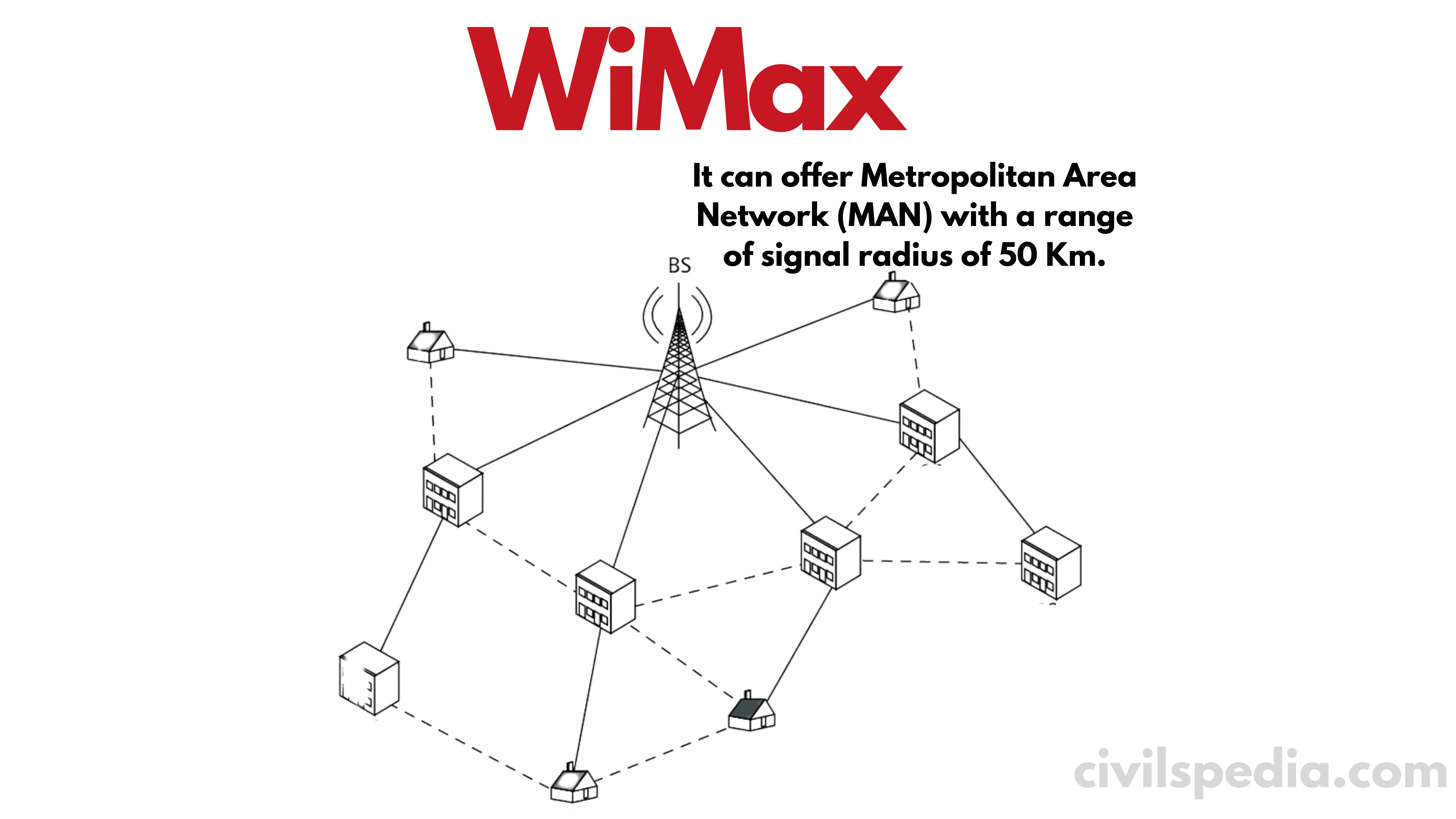
  • WiMAX can offer Metropolitan Area Network (MAN) with a range of signal radius of 50 Km.
  • Its data transfer rates are superior to the conventional cable modem & Digital Subscriber Line(DSL) but since bandwidth is shared among multiple users hence yields lower speeds in practice.
WiMax

Applications

  • Providing portable mobile broadband connectivity across cities and countries.
  • Providing wireless alternate to cable & DSL for last-mile broadband access.
  • Providing data, telecommunication & IPTV services.

WiMAX vs Wi-Fi

WiMAX Wi-Fi
A long-range system covering many Kms & use licensed or unlicensed spectrum to deliver the connection to the network which in most cases is the internet. Uses unlicensed spectrum to provide access to LAN & is more of an end-user device.
Use Quality of Service(QoS) mechanism based on connections between a base station and user device in which each connection is based specific scheduling algorithm Uses Contention Access i.e. all subscribers are competing on a random interrupt basis. This causes subscriber stations that are distant to be repeatedly interrupted by closer stations.

WiMAX & Wi-Fi are complementary

  • WiMAX network operators provide a WiMAX Subscriber Unit that connects to the Metropolitan WiMAX network. 
  • Wi-Fi is connected to WiMAX and that provide Wi-Fi within home, office etc. 

5. NFC

  • NFC  = Near Field Communication
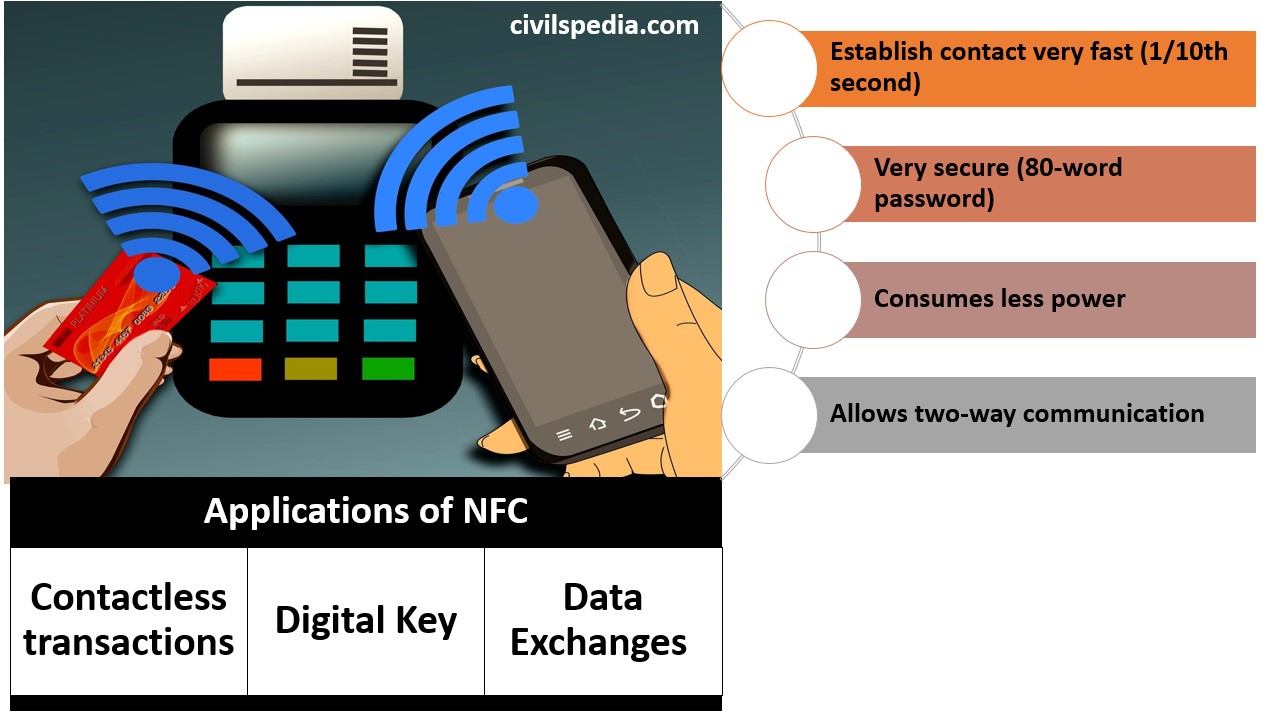
  • NFC is a short-range high-frequency wireless communication technology. It is a set of protocols that enable two electronic devices (one usually is a portable device such as a mobile) to establish radio data communication with each other by bringing them closer typically, 10 cm (4 inches) from each other.
  • Useful properties of NFC include
    1. Establish contact very fast (1/10th second)
    2. Very secure (80-word password) 
    3. Consumes less power
    4. NFC allows two-way communication between endpoints whereas earlier systems such as smartcards were one way only.
  • Present & anticipated applications 
    1. Contactless transactions 
    2. Digital Key
    3. Data Exchanges 
  • NFC enabled mobiles to have the potential to replace credit cards. NFC mobiles pack smart chip which is 80 character code that is hard to break.
  • NFC can also be used in social networking situations like sharing contacts, videos etc.
  • NFC enabled mobiles could become a single key to access the car, home & office.

Benefits

  • Speed: This will improve speed as there is no need to swipe & require less time to complete the transaction.
  • Security: They remain in control of the customer which will improve security.
NFC


6. RFID

  • RFID = Radio Frequency Identification
  • It serves the same purpose as a bar code. In Barcode, information is stored in the barcode which can be analysed using Barcode Scanner. In RFID, that information is stored in RFID Chip which can be analysed using RFID Antenna.

Uses

1. FasTag

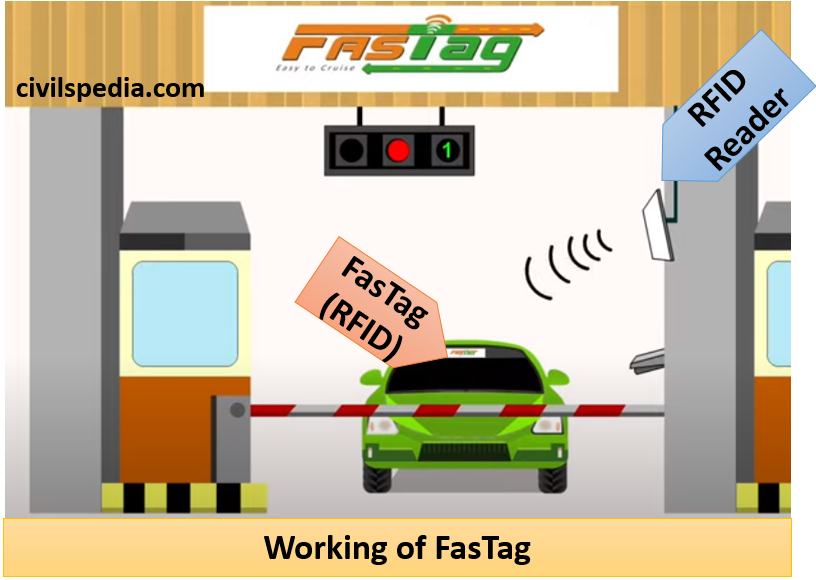
  • RFID is used in FasTag which is used to pay toll at Toll Booths.
  • Stickers affixed to the windscreen of vehicles use RFID technology to enable digital, contactless payment of tolls without having to stop at toll gates. The tags are linked to bank accounts. Sensors are placed on toll barriers and the barriers open for vehicles after payment from the valid FASTags.
  • FASTags has the potential to remove traffic bottlenecks and make the passing of vehicle through tolls considerably smoother and hassle-free since drivers will no longer have to stop to make a transaction. 
  • The government has mandated FastTag for all vehicles at all National Highways from 1 December 2019.
Working of FasTag

2. Shopping malls and Shops

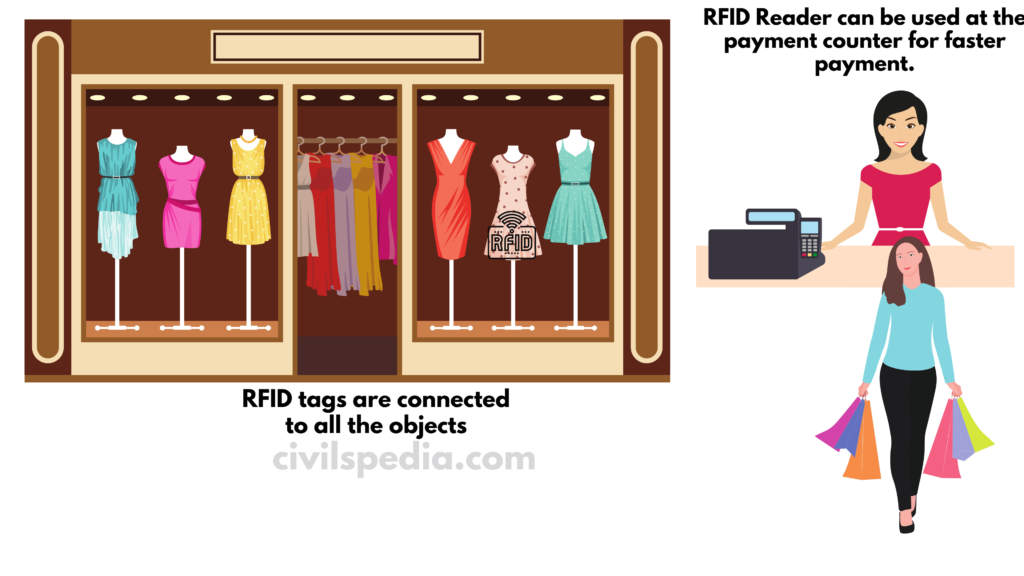
  • In shopping malls, RFID tags are connected to all the objects. When a person buys that product, RFID Reader can be used at the payment counter for faster payment. When payment is done, the RFID tag is removed. But if anybody tries to go out of the shop without payment, there is one more antenna at the door which will detect such item and start to ring an alarm. 
RFID Reader

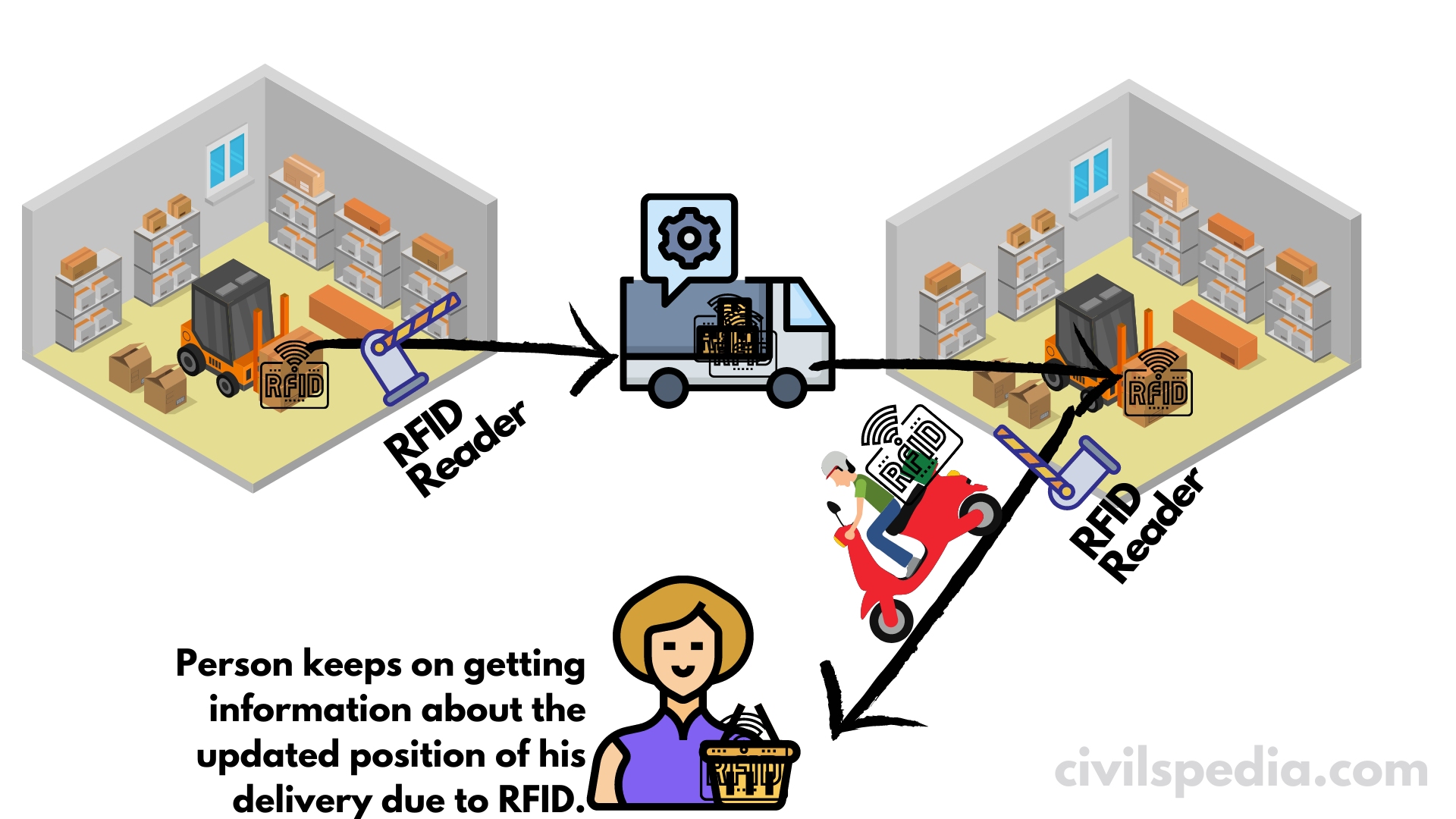
3. Logistic Management

RFID

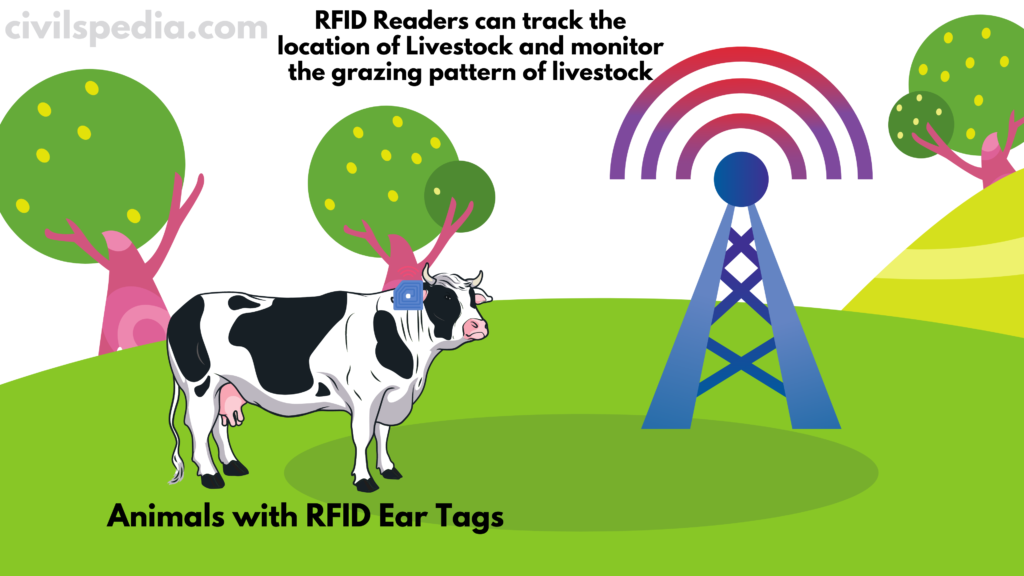
4. Livestock Management

  • RFID Tags are implanted inside or attached to the livestock which improves farm management by tracking the individual animals.

Project Loon, Aquila, White Fi and Starlink

Project Loon, Aquila, White Fi and Starlink

This article deals with ‘ Project Loon, Aquila, White Fi and Starlink – UPSC.’ This is part of our series on ‘Science and Technology’ which is an important pillar of the GS-3 syllabus. For the whole syllabus of Science and Technology, you can click here.


White Fi

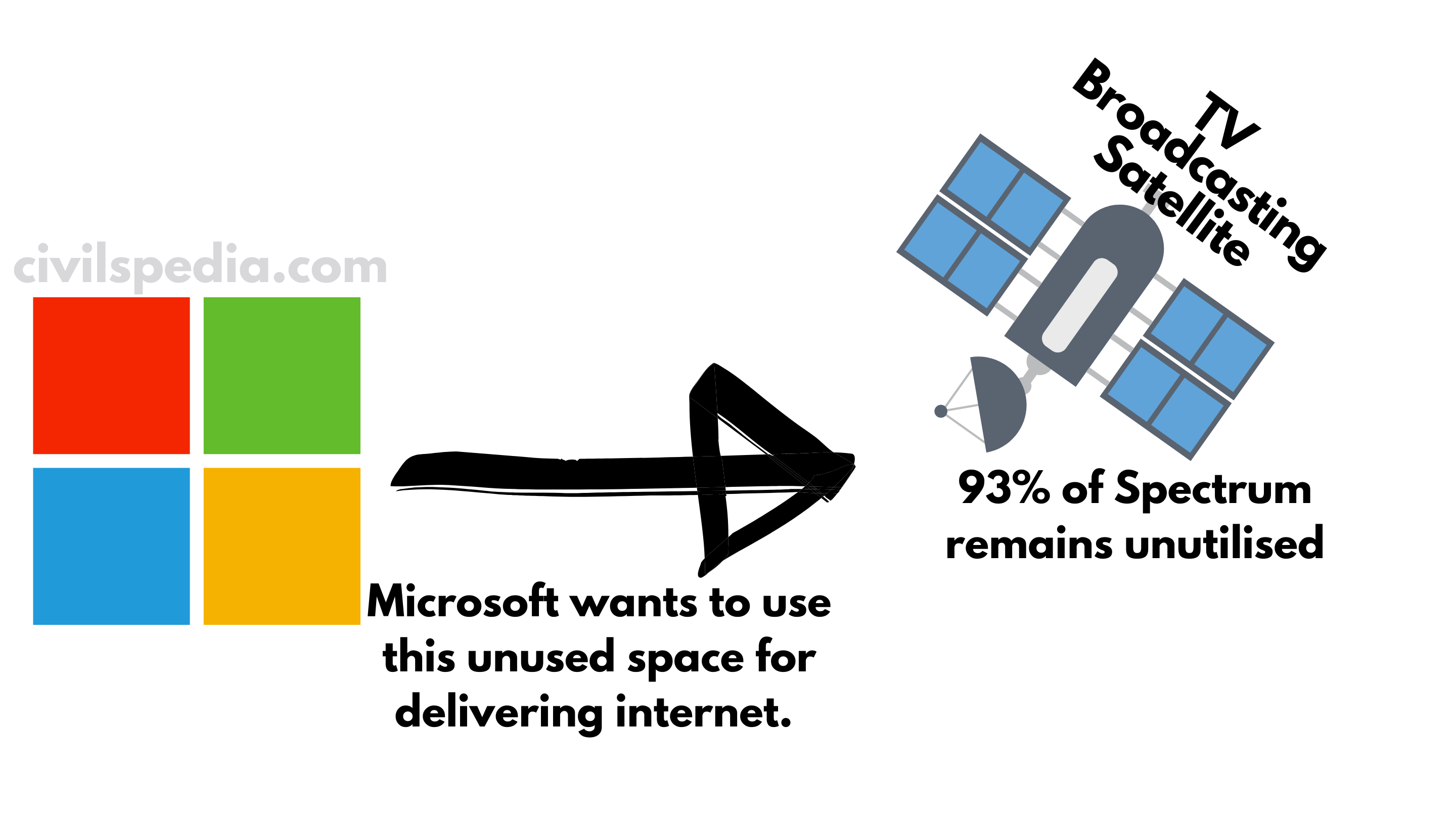
  • It is the initiative of Microsoft
  • Television signals use spectrum raging from 200-600 MHz from the satellites. But 93% of this space remains unutilised, known as White Space. Microsoft wants to use this unused space for delivering internet. 
White Fi
  • Microsoft has designed a special router that can provide a range of 10 Km radius with a speed of up to 16mbps. 
  • The White-Fi project has been already approved in the US, UK, Singapore & Kenya
  • The pilot project was also started in the Srikakulam district in Andhra Pradesh.

Indian Controversy regarding the project – The US software company was seeking free unlicensed spectrum from the government but telecom companies objected to this because according to the Supreme Court’s directives, the spectrum can be allotted only via competitive bidding in a transparent manner.


Project Loon

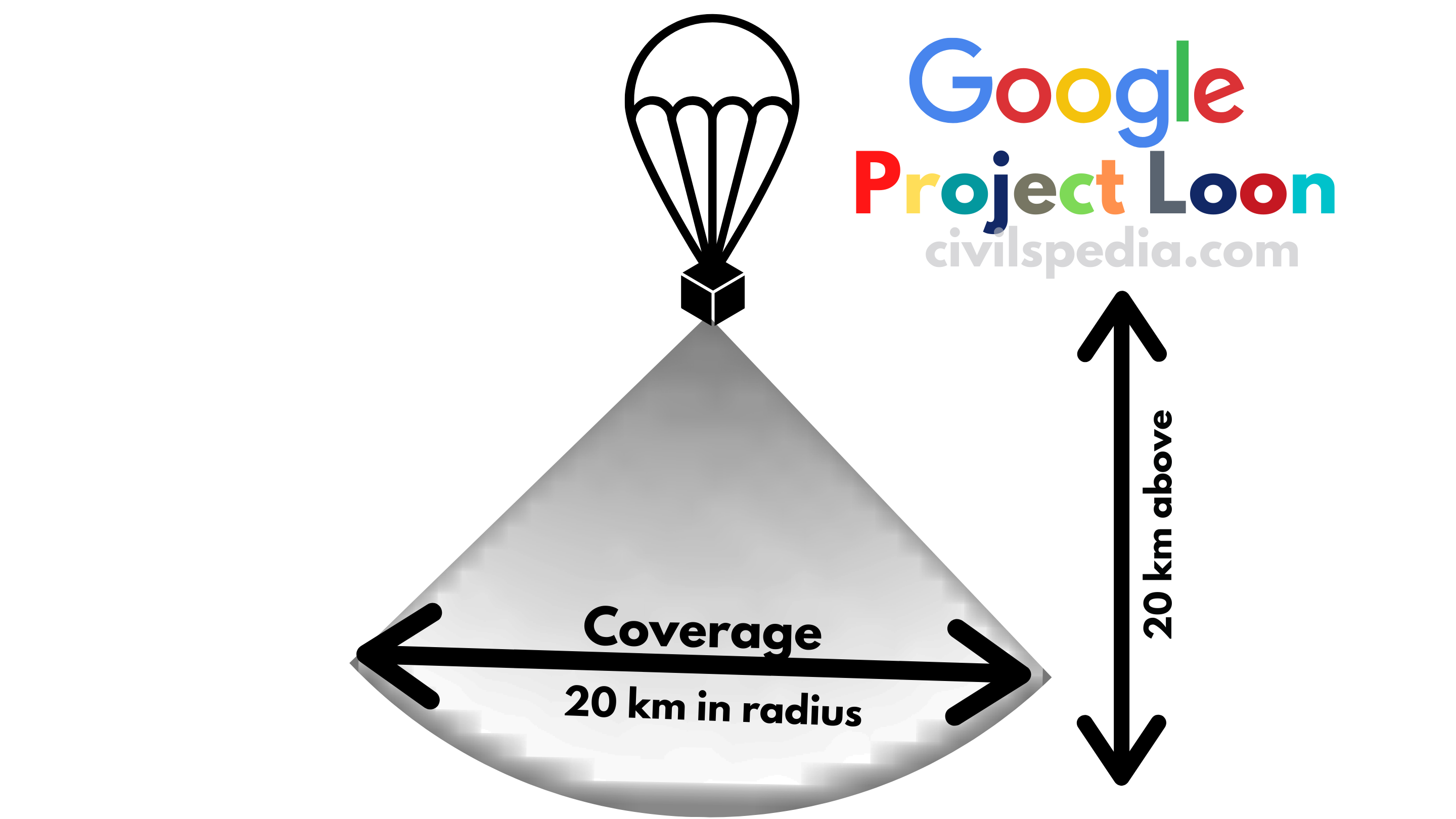
  • Project Loon’ is a “network of balloons travelling approx. 20 km above the surface i.e. on the edge of space designed to connect all the people (including those living in remote areas) with the internet and fill internet connectivity gaps.
  • These balloons will travel at the height of 20 km from the Earth’s surface (in the stratosphere) and forming part of interconnected networks.
  • Each balloon can provide connectivity to a ground area about 20 km in radius using 4G wireless communication.
  • Project Loon will partner with the local telecom companies and share their spectrum.
  • These are powered by solar panel and wind.

Facebook Drones/ Aquila

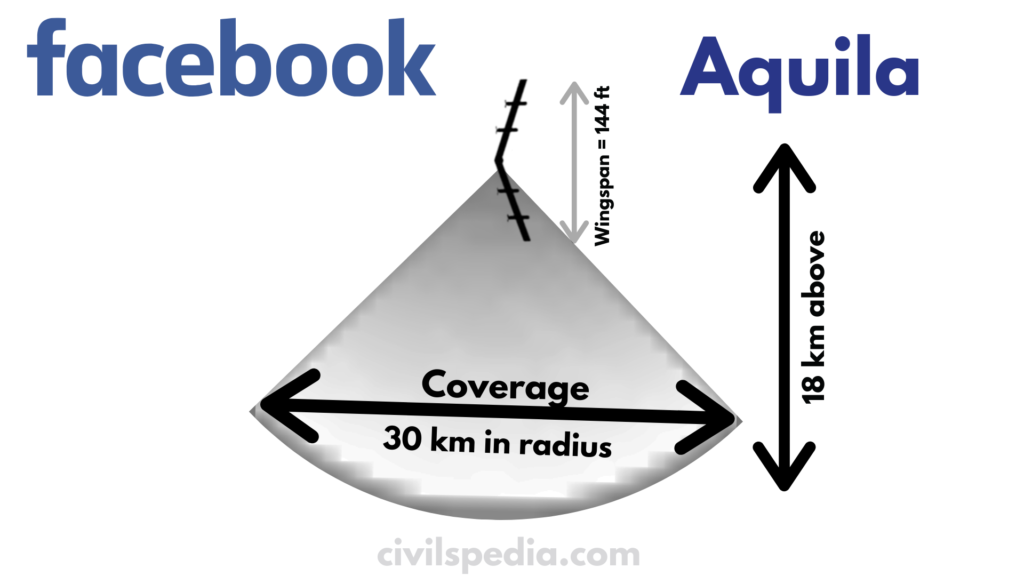
  • Today, only 1/3rd of the world population has internet connectivity. Mark Zuckerberg and internet.org aim to provide affordable internet to the remaining 2/3rd of the world population. For this, they have a plan to launch Internet-carrying solar-powered drones flying 18 km above the surface. 
  • These drones will beam wireless internet using a laser acting as a ‘Wi-Fi router.  
  • These can provide internet connectivity within a 30 Km radius. 
facebook 
Covera e 
30 km in radius 
Aquila

Tesla Tin-Tin satellites and Starlink Network

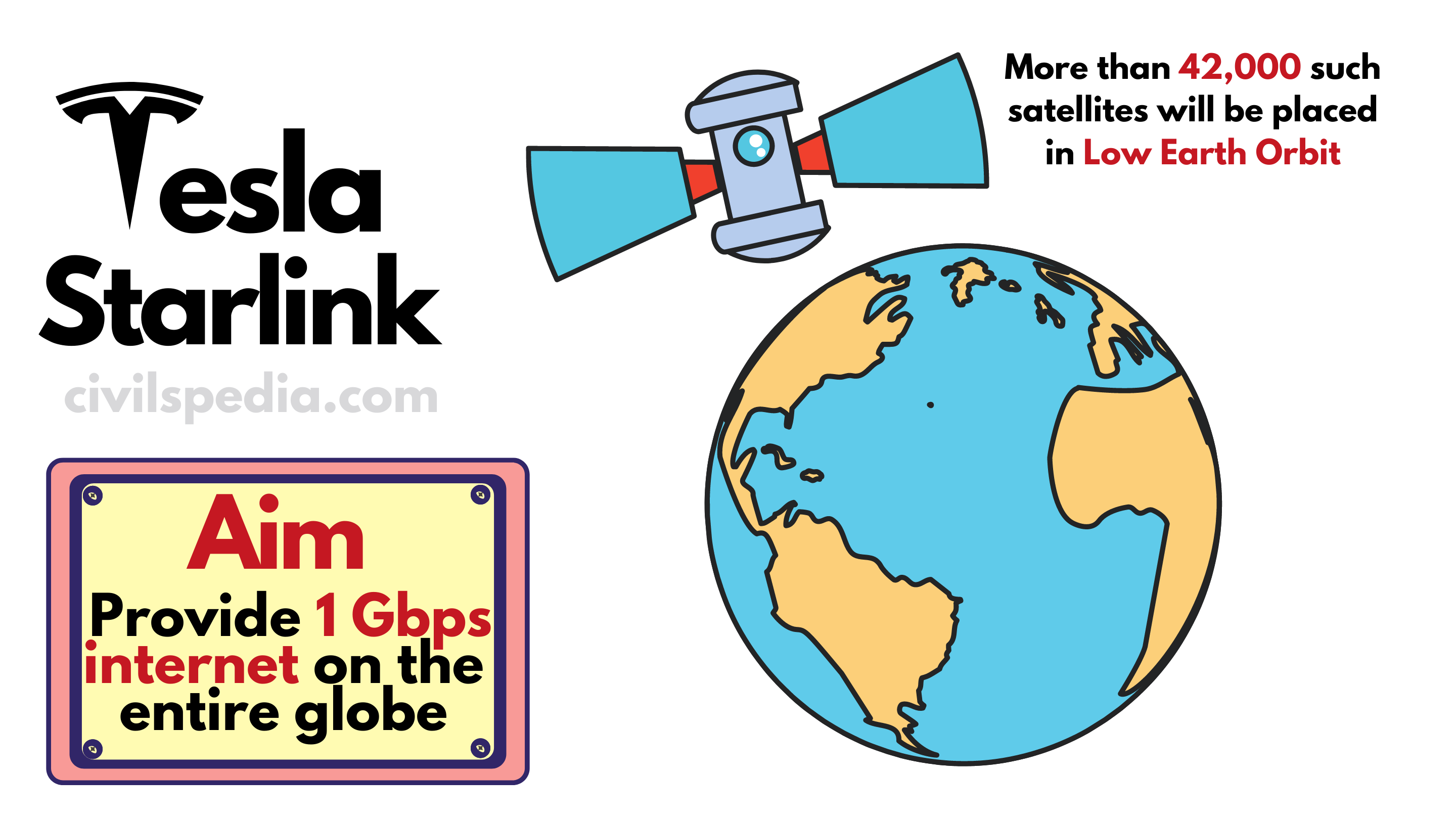
  • Through Tin-Tin satellites, SpaceX plans to have a network of more than 42,000 satellites that will provide internet at 1 Gbps speed on the entire globe. These satellites will be placed in Low Earth Orbit (LEO).
  • Service is christened as STARLINK.
  • In April 2018, SpaceX launched Tin-Tin 1 & 2 in this pursuit.
  • The project is worth $ 10 billion.
  • It will be operational by 2024.
  • Issues
    1. It will create a massive amount of Space Junk/ Space-Debris. The number of satellites in Starlink Network is greater than all the satellites presently orbiting the earth. 
    2. Astronomers fear that constellations of space Internet satellites will make it difficult to observe other space objects.
Starlink

Note: Tin-Tin Satellites will be placed in Low Earth Orbits. Although, Geostationary Orbit situated ~36,000 km above the earth’s surface is used by other communication satellites. But Geostationary Satellites have a latency of 600 milliseconds. A satellite in the lower orbit situated 400-900 km above the earth’s surface has a lag of (just) 20-30 milliseconds, the same as that of terrestrial systems


Internet

Internet

This article deals with ‘ Internet – UPSC.’ This is part of our series on ‘Science and Technology’ which is an important pillar of the GS-3 syllabus. For the whole syllabus of Science and Technology, you can click here.


Introduction

Internet

Internet is the term used for the global area network that connects the computers spread all over the world.

Timeline

1969 ARPANET was developed by the American Defence Agency which connected 4 universities into a network (University of California (Los Angeles), University of California (Santa Barbara), University of Utah and Stanford University).
1973 Internet Protocol (IP) was designed by Vint Cerf and Bob Kahn. It was a technique by which the information could be divided into small packets and could be sent to another computer.
1986 US National Science Foundation (NSF) launched NSFNET which was the first wide-range network in which the Internet technique was used.
1989 Tim Berners Lee of CERN developed a new technique for sharing information on the Internet. It was called World Wide Web (www).
1993 Mosaic (1993), Netscape (1994) and Microsoft (1995) launched their browsers. As a result, the use of the Internet became easy for users.
1996 Internet became popular and the number of internet users reached 15 million.
1997 Google search engine was launched. (Note: LYCOS (in 1993) and WEB CROWLER (in 1994) were the first search engines).
1999 The concept of ‘e-Commerce’ came to being.
2001 Wikipedia was launched (by Jimmy Wales).
2004 Social Media site ‘Orkut’ was launched.
2005 YouTube was launched (by Javed Karim, Steve Chen and Chad Hurley)

Internet Protocol (IP)

  • Internet Protocol represents the set of rules that govern sending and receiving messages on the internet. The data sent from one computer to another, on the Internet, follow this protocol.
  • Every computer has its address in the network. This address is called the Internet Protocol (IP) address. Information is sent to another computer in the broken form of small packets. When these packets reach a computer, the computer assesses whether this information is sent for it or not.

IPv4 and IPv6

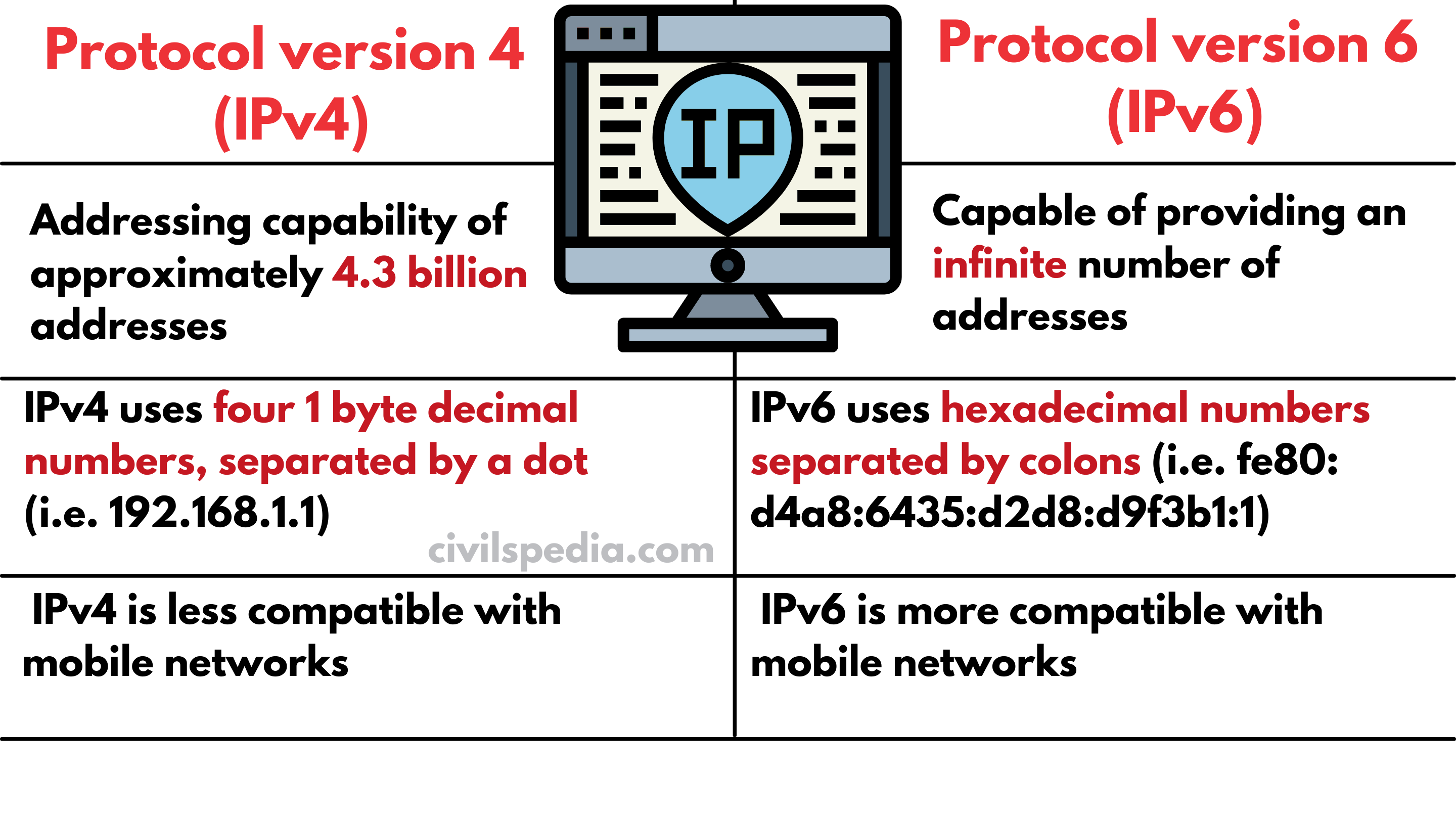
  • The Internet Protocol version 4 (IPv4) provides an addressing capability of approximately 4.3 billion addresses. The more advanced version i.e. Internet Protocol version 6 (IPv6) is capable of providing an infinite number of addresses, thereby accommodating the growing number of networks worldwide.
  • Internet Engineering Task Force (IETF) ratified IPv6 in July 2017. 
  • The appearance of IP addresses is different. IPv4 uses four 1 byte decimal numbers, separated by a dot (i.e. 192.168.1.1). IPv6 uses hexadecimal numbers separated by colons (i.e. fe80: d4a8:6435:d2d8:d9f3b1:1).
  • Along with that, IPv4 is less compatible with mobile networks than IPv6.
IPv4 and IPv6

Side Topic: Intranet and Extranet

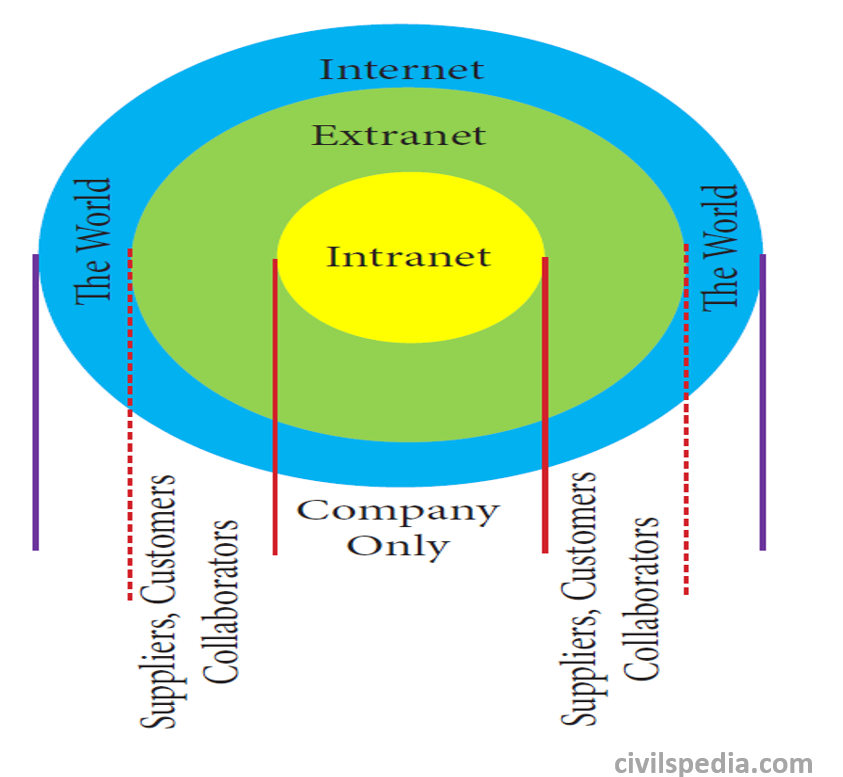
  • Intranet is a website used by organizations to provide a place where employees can access company information (eg: policies, procedures, staff, directory, department info), tools (quick links to common apps, forms etc.) and collaborate (with social sharing tools similar to Facebook).
  • Extranet is a private network that uses Internet technology and the public telecommunication system to securely share part of a business’s information or operations with suppliers, vendors, partners, customers, or other businesses.
Intranet and Extranet

URL

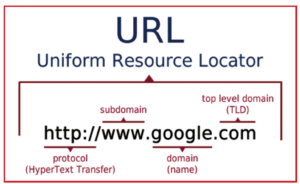
  • A URL is an address that shows where a particular page can be found on the World Wide Web.
  • URL is an abbreviation for ‘Uniform Resource Locator (URL)’.
URL

Ways of accessing the internet

The Internet can be accessed in a number of ways like

Dial-up Internet Access It has the slowest speed (~60Kbps). In this, the Internet is accessed via telephone line by dialling number provided by the Internet Service Provider.
Cable Internet Access Local Cable TV operators can also give access to the internet.
Broadband It provides the maximum internet speed (minimum of 512 Kbps in India).
Satellite Services It is used in rural and remote areas using satellite and small dish connected to the modem. 
Mobile methods A person can also use the internet on his Smartphone and Tablet using Cellular Services.

Applications of the Internet in India

Applications of the Internet in India

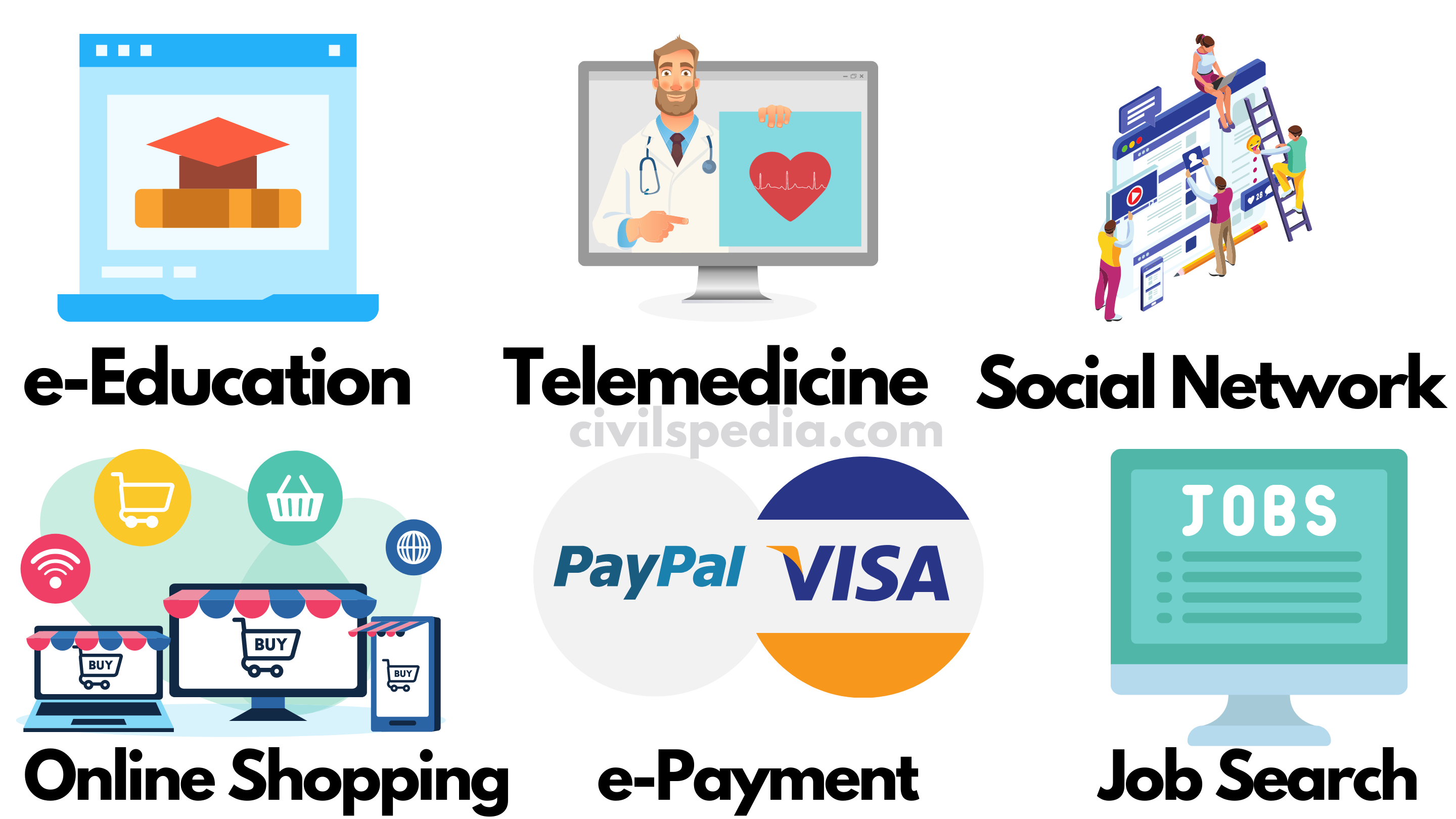
Education

  • It can help to provide education through Massive Open Online Courses (MOOCs).
  • During the COVID-19 pandemic, online education via the internet played an important role. 

Telemedicine

  • The use of ICT in delivering clinical care is termed Telemedicine.
  • A high-speed communication link makes it possible for the local general practitioner to perform complex medical surgery under the guidance of a specialist.
  • Advantage: Cost-effective as well as can be easily provided in remote and isolated regions.

Entertainment on Demand

Key applications of EoD include

  • Video on Demand (VoD)
  • Music Downloads
  • On line gaming
  • Video chat

E-Governance

  • Electronic governance or e-governance is the application of information and communication technology (ICT) for delivering government services.

Social Networking

  • Social networking is the use of internet-based social media programs to make connections with friends, family etc. Examples of social networking include Facebook, Instagram, Youtube etc.

Searching Jobs

  • Nowadays, many people search for their jobs online using naukri.com, monster.com, recruitmentindia.com etc. as it is quicker.

Online Shopping

  • The internet has also facilitated the introduction of a new market concept consisting of virtual shops. For example Amazon and Flipkart.

Stock market updates

  • It involves selling or buying shares while sitting in front of a computer through the internet. Several websites like ndtvprofit.com, moneypore.com, provide information regarding investment.

Travel

  • One can use the internet to gather information about various tourist places. It can also be used for booking Holiday tours. Some of the websites providing this service are goibibo.com, makemytrip.com, olacabs.com etc.

Research

  • Researchers use the internet to find information as well as to come in contact with peers.

Online Payments

  • The rising boom of online payments in India has given way to many new entrants in the industry such as Paytm, Google Pay etc. who are majorly wallet driven payment companies.

Broadband

  • Broadband can be defined as a high-capacity transmission technique, using a wide range of frequencies, enabling the communication of large data simultaneously. Presently, to be categorised as Broadband, the minimum download speed requirement is 512 Kbps.
  • Broadband also provides a combination of Video on Demand (VoD), broadcast television, fast internet access, streaming media, games, music & telephony services from a single network.
  • Hence, major essentials of Broadband are
    1. Multi-Service Component
    2. High speed

Broadband Users in India

There were 422 million (42.2 crores) broadband subscribers in India in 2017, which is envisaged to be increased to 600 million (60 crores) by 2020 through schemes like the BharatNet project, Digital India Program etc.


Internet Browsers

  • Looking for information on the internet is called surfing or browsing. To browse the internet, a software called the web browser or browser is used.
  • Web browsers translate HTML documents of the website and allow to view them on the screen.
  • Famous Internet Browsers includes
Internet Browsers

ICANN

Who governs the Internet?

  • It is a frequently asked question. The truth is that no centralized management of the internet exists. The internet as a whole does not have a single controller. 
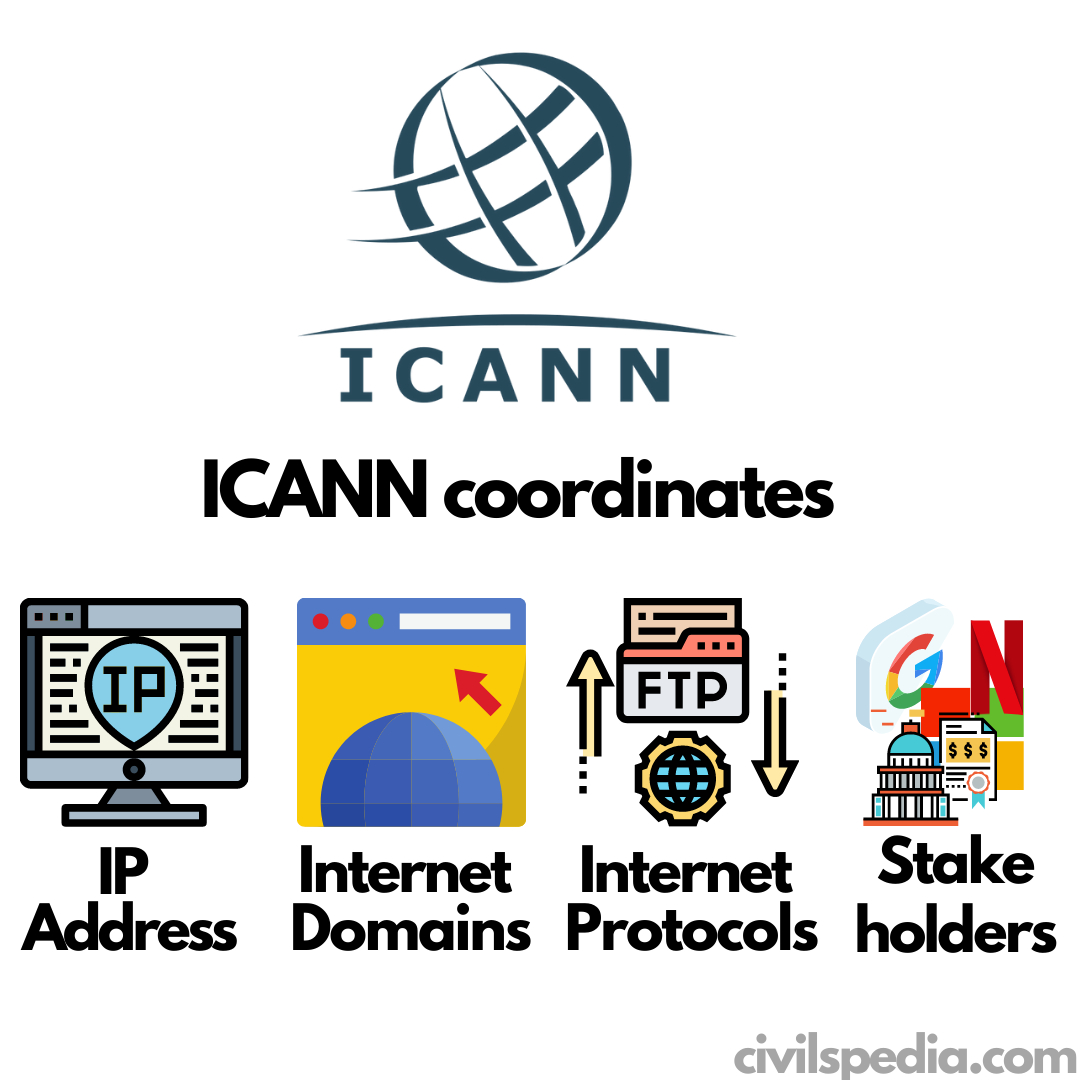
  • But ICANN is a voluntary membership organization and takes the responsibility to promote global information exchange through Internet technology. Internet Corporation for Assigned Names and Numbers( ICANN) administers the domain name registration. It helps to avoid a name that is already registered.

ICANN

ICANN
  • ICANN =  Internet Corporation for Assigned Names and Numbers
  • ICANN is a non-profit public benefit corporation that coordinates the Internet Domain Name Servers, IP addresses and the protocols that underlie them. It also coordinates with various stakeholders like companies, individuals, and governments to ensure smooth working of the Internet
  • It was created by the U.S. government in 1988. But presently, it is an international, community-driven organization independent of any one government.
  • It is headquartered in the Playa Vista neighbourhood of Los Angeles. It holds meetings three times a year, switching the international location for each meeting.

Challenge to ICANN

Countries like Russia and China, which exercise a large degree of control over their domestic internet access, have proposed multilateral oversight through the International Telecommunications Union (ITU) of the United Nations.


W3C

  • W3C stands for “World Wide Web Consortium.” 
  • The W3C is an international community that includes a full-time staff, industry experts, and several member organizations.  
  • W3C works for developing the standards of the World Wide Web (www) to facilitate better communication ability and cooperation among all web stakeholders. 
  • It was established in 1994 by the creator of the WWW, Tim Berners-Lee.

India-Israel Relations

This article deals with ‘India-Israel Relations.’ This is part of our series on ‘International Relations’ which is an important pillar of the GS-2 syllabus. For more articles, you can click here.


Brief History

JL Nehru

  • The israel-Palestine conflict was one of the first issues that independent India had to deal with in the UN.
  • Before voting in General Assembly,  Nehru received a letter from Albert Einstein requesting India’s support for a resolution on the partition of Palestine. Nehru answered that India could not support this. Nehru favoured the idea of a united Palestine and not one divided by religion. Perhaps he was influenced by our own experience of partition and strongly favoured a federation of two states.
  • India recognised the state of Israel soon after it was created in 1948 but it did not establish diplomatic relations.
  • Hence, Nehru was neutral – supporting Arabs and accommodating the Jews.

Indira Gandhi

  • India adopted a hardcore pro-Palestine stance.
  • Although Arab nations supported Pakistan while Israel supported India in the 1965 and 1971 wars, India branded Israel as the aggressor in the Six Days War (1967) and Yom Kippur war (1973).

Rajiv Gandhi

  • Rajiv Gandhi, educated at Cambridge University, signalled a fresh Indian approach towards Israel and though unable to reverse the traditional Indian pro- Arab foreign policy completely, initiated a number of moves in favour of Israel.
  • He also held a meeting with Shimon Peres, his Israeli counterpart, at a UN session in 1985.
  • In 1987, allowed the Israeli Tennis team to play in India at the Davis Cup.

PV Narsimha Rao

He established full diplomatic relations (1992). Reasons for this were as follows

  1. In 1990-91, there were internal divisions in the Arab world related to the Gulf War. In the Kuwait crisis, PLO supported Iraq while Arabs supported Kuwait.
  2. Domestically in India, the economy needed a push and the USA was the only country that could give India the needed financial muscle. India understood that the US financial assistance is tied to India opening up its relationship with Israel.
  3. Jordan (in 1991) and Egypt (in Camp David Accord-1978) has already signed a peace treaty with Israel.
  4.  China too gave diplomatic recognition to Israel.
  5. Arab countries through OIC were trying to internationalise Kashmir Issue.

Atal Bihari Vajpayee

  • Expansion of India-Israel relations in several fields, including defence.  Israel supplied, much needed ammunition to India during the Kargil War.
  • India continued to extend its support to the Palestinian cause, although the intensity had diminished.

Manmohan Singh

  • Vastly expanded relations with Israel, especially in the defence sector and this undoubtedly had some impact on India’s stand on Palestine.  While India continued to vote in favour of the UN resolutions, it stopped co-sponsoring many of them.

Narendra Modi

Policy of Dehyphenation

India wants to maintain its relationship with both Palestine and Israel, and strengthen bilateral ties with each separately.

Instances showing this

  • PM Modi made a standalone visit to Israel without travelling to Palestine and later also made a standalone visit to Palestine without travelling to Israel (both first such instances).
  • India increased its trade and security partnership with Israel but also voted at the UN General Assembly against U.S. President Donald Trump’s decision to recognise Jerusalem as Israel’s capital.
  • Tilt towards Israel but without being hostile to Palestine.

Decoding this bonhomie

  • India using the Dehypenation Policy to secure her national interests.
  • There are three players in the Middle East i.e.
    • Israel: Jew
    • Saudi Arabia: Sunni
    • Iran: Shia
    • By engaging with all without favouring any, India would be seen as a non-partisan party in that area.
  • Palestine issue is hanging for 6 decades and is not the main issue in the Muslim world now. It has been taken over by Shia- Sunni rivalry epitomised in Syria & Yemen civil war. India is using this opportunity to rebalance its relations.
  • Military support provided by Israel since the Kargil conflict of 1999 and assistance provided by Israel in agricultural and water technologies to some Indian states has led to direct interactions between Indian state governments.
  • Both regimes i.e. Netanyahu and Modi are ultra-nationalist in character.
  • Israel, the only non-Muslim nation in the Middle East can be an important ally in the fight against ISIS.

Why Israel matters a lot to India?

1 . Defence Cooperation

  • India is the largest buyer of Israeli military equipment and Israel is the third-largest defence supplier to India after Russia & the USA.
  • Israel has supplied ammunition during Kargil War and Howitzer guns during the 1962 war.
  • Israel has also pledged support to the ‘Make in India’ mission in the defence sector. Israel has vast experience in the Military-Industrial Complex which they had developed indigenously and therefore was not bound by End User Licensing Agreements (EULA).
  • To make our borders safe, India intends to use hi-tech anti-infiltration systems used by Israel.
  • RAW and Mossad have links that go back to 1968 when RAW was created. India has cooperated with Mossad to get vital intelligence about radical Islamic groups. The Field Officers of RAW  are also trained by Mossad today.  In 19767, Mossad even trained Indian Field Officers of RAW to carry out airstrikes to destroy the Pakistani Kahuta plant where RAW had found out secret nuclear enrichment done by Pakistan to develop a nuclear bomb.
  • India has acquired a large number of defence-equipment including
    1. Heron-I drones
    2. M-46 field guns
    3. Barak 8 LRSAM Missiles
    4. Spyder anti-aircraft missiles
    5. Spike Anti-Tank Missiles
    6. Phalcon AWACS
    7. Night vision technologies

2. Agricultural Cooperation

  • India is a water-stressed nation with annual per capita availability of water being less than 1500 cubic meters. Israel is also a water-scarce nation with a per capita availability of water less than 200 cubic meters, yet, is an agriculture exporter to the European Union. It has achieved this fiat as Israel has become the global leader in drip irrigation and has pioneered desert agriculture.
  • Many states have signed MoUs in the field of agriculture
    • Maharashtra: To address the farming crisis in Vidarbha & Marathwada
    • Rajasthan: To developing Olive Plantation
  • Israel has also set up Indo-Israel Agriculture Project Centre in Karnal.

3. Water  Management

  • Israel’s expertise includes
    • drip irrigation
    • recycling of urban wastewater 
    • desalinisation of seawater 
  • IDE, an Israeli company, has built several desalination plants in India, including Chennai.

4. Trade Relations

  • India’s total trade with Israel is $6.06 billion in 2014 with a trade balance in India’s favour  (57%).
    • Exports: Mineral fuels and oils. 
    • Imports: Natural or cultured pearls and precious stones, worth $1.20 billion. 
  • Since 2010, the two countries have been negotiating a free-trade agreement for goods and services.

5. Tourism

  • India is among the favourite tourist destinations for Israelis.
  • Kasol Valley is known as Mini-Israel & Goa is also among the favourite spots.

6. Startups

  • Israel is a country of Startups and thus, its expertise and advice on Startup India Programme could definitely give a boost to this programme.

7. Space Cooperation

  • ISRO & Israeli Space Agency are cooperating on a number of projects
  • India and Israel signed MoU on Atomic Clocks which is of importance in GPS Satellites (used in NAVIC / IRNSS System).
  • India and Israel have also signed MoU on electric propulsion for small satellites.

8. River Clean-up

  • Israel has high tech technology for cleaning rivers which can be used in Namami Gange Project.  

9. Others

  • Israel has backed India’s entry to the UN Security Council as a permanent member.

Side Topic: Abrahamic Accords

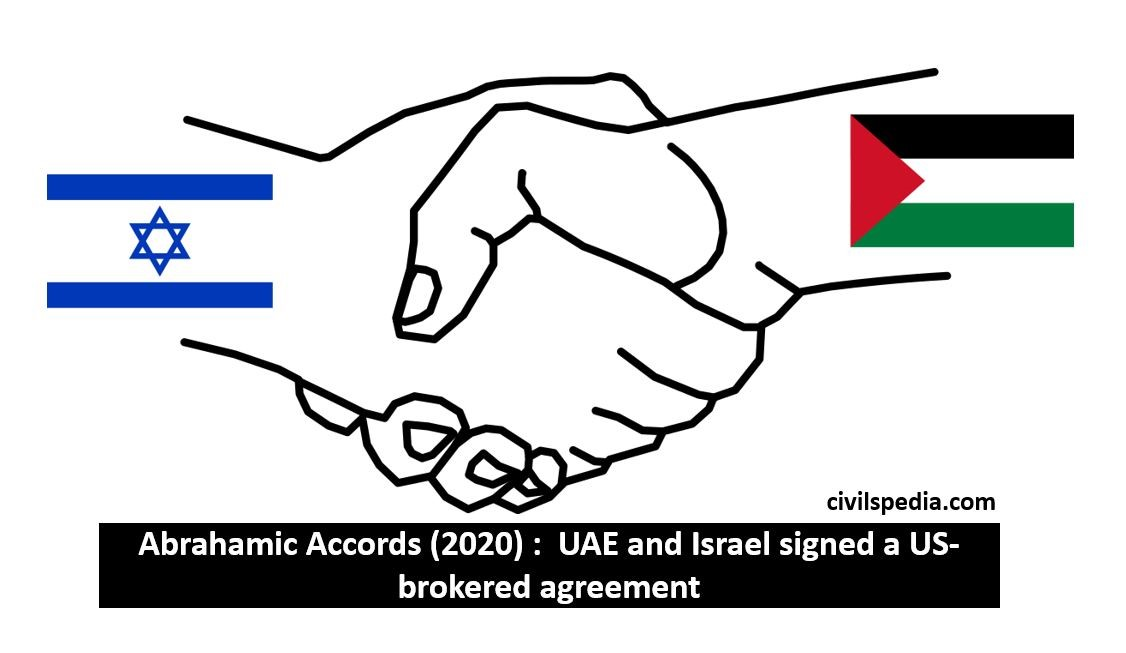
2020: UAE and Israel signed a US-brokered agreement that has come to be known as the ‘Abraham Accord’.  According to the Accord, UAE and Israel would establish formal diplomatic relations and in exchange, Israel would suspend its plans to annex parts of the occupied West Bank.

India-Israel Relations

Reason for signing the Accord

  • Iran Factor: Sunni powers like UAE consider Iran as their major adversary instead of Israel in the changed political scenario.
  • Need to reorient their economies: To diversify petrodollar fueled economy,  Arab states need to invest in technology-driven sectors. Israel is the leader in technology in West Asia can aid Arab states.
  • Need to address the threat of political Islam: It is a transnational concept often embodied by the Muslim Brotherhood and one which certain Gulf Arab rulers view as an existential threat to their dynastic monarchies.

Implications on India

Positive implications

  • It has raised the hope of peaceful resolution of the Palestine dispute, easing India’s diplomatic balancing act.
  • It will result in peace in the Middle East and is beneficial for the large Indian diaspora living in the Middle East.
  •  Indians are also the biggest stakeholders in Dubai’s real estate, tourism and Free Economic Zones. This sector is stand to gain due to the rapprochement between Israel and UAE.

Negative implications

  • Israel has the potential to supply skilled and semi-skilled manpower to UAE (and Arab countries), particularly from the Sephardim and Mizrahim ethnicities, many of whom speak Arabic. This will increase the competition for the Indian diaspora in the Middle East.

Fundamentals of Computers

Fundamentals of Computers

This article deals with ‘Generations of Wireless Communication .’ This is part of our series on ‘Science and Technology which is an important pillar of the GS-3 syllabus. For more articles, you can click here.

What is Computer?

  • COMPUTER = Commonly Oriented Machine Particularly Used for Trade, Education and Research.
  • The computer is an electronic device that takes raw data as input from the user, processes the data, gives the result and saves it for future use.
  • Hence, Computer must perform 4 functions
Accepts Data Input
Processes Data Processing
Produces Result Output
Stores Result (for future use) Storage

Characteristics of Computer

  1. Speed (the usual computer can do 3 million calculations per second).
  2. Accuracy (if there is any error, it is due to the programmer’s mistake in writing the program. Computer will process data according to the program).
  3. High Storage Capacity.
  4. Automation (give the program to the computer and it will keep performing the task according to the commands without human intervention).
  5. Diligence
  6. Flexibility


Father of Computer

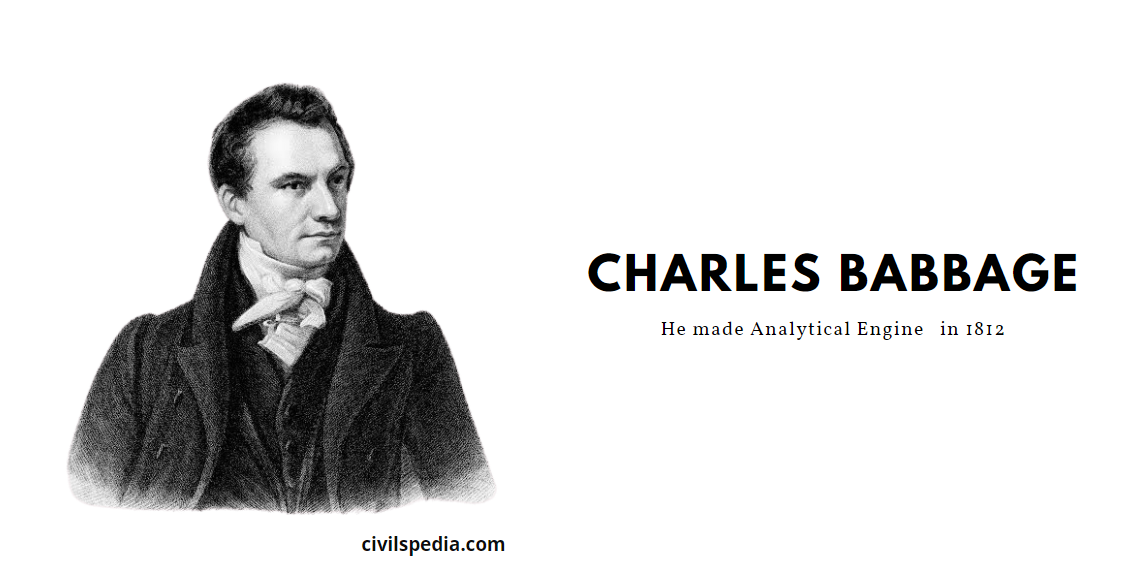
  • Charles Babbage is considered to be the father of the computer.
  • Charles Babbage’s Analytical Engine which was made in 1812 is considered to be the first Computer.
  • Even today, computers are made on that framework.
Charles Babbage- father of Computer

Generations of Computers

Based on various stages of development, computers can be categorised into different generations:-

Pre Modern Computer

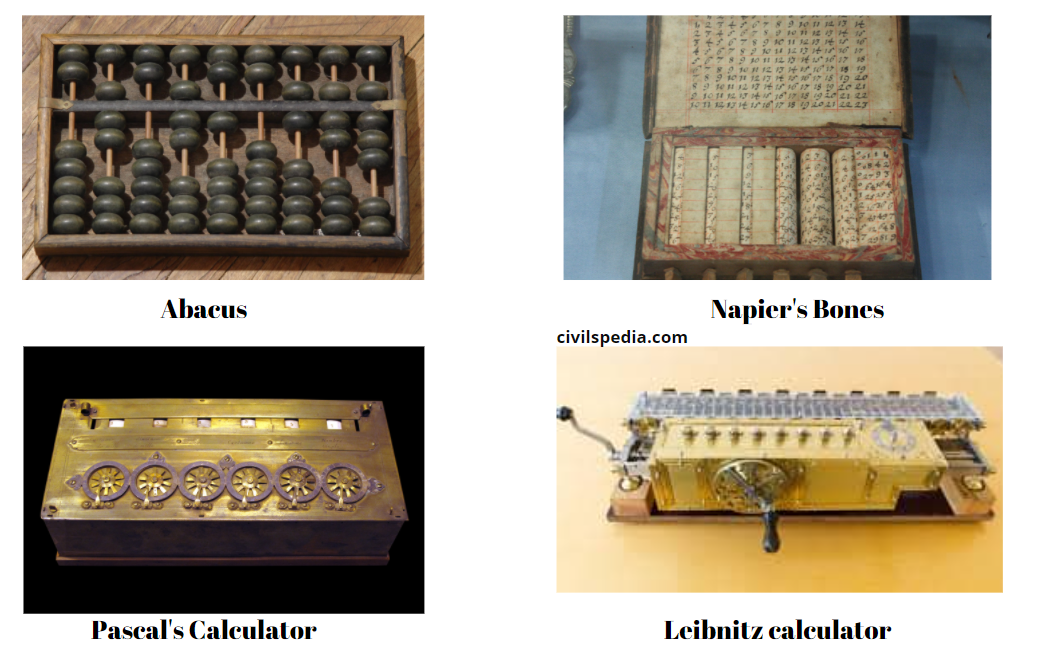
  • Abacus: It is made up of a frame in which rods are fitted and round beads slide on the rod. A person can do calculations fastly using Abacus.  It was developed primarily in Egypt in the 10th Century. Later, it evolved with time and what we know as the abacus today was made in China in the 12th Century.
  • Napier’s Bones: It is a type of Abacus made by John Napier. Numbers were printed on Bones (instead of beads in the abacus).
  • Pascal’s Calculator: It is an  Adding Machine made in 1640 by Blaise Pascal. 
  • Leibnitz calculator: It was made in 1646. It was a mechanical device that can do addition, subtraction, multiplication and division.
Pre Modern Computer
Abacus
Pascal 's Calculator
Napier's Bones
Leibnitz Calculator

First Generation

Period 1942 – 1956
Main Components used Vacuum tubes
Examples UNIVAC – 1  
ENIAC
EDVAC
IBM 791 & IBM 650   
Properties These were the first commercial computers.
They used (1) Vacuum Tubes for circuitry and (2) Magnetic drums for memory.  
Issues Big Size
Slow Speed
Not portable
They had limited commercial use.
They can malfunction due to overheating.
Only Machine Language can be used.  

Eg: ENIAC weighed about 27 tons, sized 8 feet × 100 feet × 3 feet and consumed around 150 watts of power.

Second Generation

Period 1956- 1964
Main Components used Transistors
1. They are small in size.
2. They use less energy.
 
Examples IBM 7094
IBM 1400
CDC 164
UNIVAC 1108
 
Benefits Small in size compared to First Generation.
Use less energy.
Generates less heat than First Generation.
Machine language, as well as Assembly language, can be used in them.  
Issues Cooling system was required.
It was costly and can’t be used by people for personal use.

Third Generation

Period 1964-1975
 
Main Components used Integrated Circuits
They are very small (0.25 sq inch).
One Integrated Circuit can contain thousands of transistors reducing the size and at the same time making them very fast.  
IC was invented in 1961 (frequently asked question).  
Examples IBM 360 series
IBM 370
Honeywell 6000 series
 
Benefits Computers were smaller in size.
They were faster and more reliable.
They consumed lesser power.  
Issues They used sophisticated technology.
– High-level languages were used.
Air Conditioners were still required.

Fourth Generation

Period 1971-present  
Main Components used 1. Microprocessor (in one Microprocessor, there can be thousands of ICs)
2. Very Large Scale Integrated Circuits (VLSI)  
Example Microcomputer series such as IBM and APPLE.  
Benefits They are smaller and faster.
They were portable.
They were not that expensive.

Different generations of Computers

Fifth Generation

Period 1980 – till date  
Main Components used Ultra Large Scale Integration (ULSI)  
Example Super Computers  
Benefits They use parallel processing.
They can even recognise Images and graphics.
It makes the introduction of Artificial Intelligence and Expert Systems possible.
They can be used to solve highly complex problems including decision making and logical reasoning.

Sixth Generation

Period In future  
Possible features Computers will be even more smarter, faster and smaller.
Computers will be based on Artificial Neural Networks.
It will use Natural Language Processing (NLP) that allows the computer to understand human language.
– It will lead to the development of robotics due to features like Natural Language Processing and  Voice Recognition Software.

Types of Computers on basis of Speed

Microcomputers

  • Microcomputers are also known as personal computers (PC) as they are designed to be used by individuals.
  • It has the lowest storage and processing speed.

Mini Computers

  • Minicomputers are more powerful than microcomputers.
  • It has high memory and processing speed.
  • It is a multiprocessing system that can support 4 to 200 users at the same time.

Mainframe Computers

  • A mainframe computer is more powerful than a mini-computers.
  • It has a very high memory and processing speed. A mainframe can be used simultaneously by thousands of computers and is used for large-scale computing purposes.

Supercomputers

  • The supercomputer is a powerful and high-performance machine used for mostly scientific computations.
  • The first supercomputer was Cray-1  developed in 1976. India’s first supercomputer PARAM-10000 was developed by C-DAC, Pune.

Components of a Computer

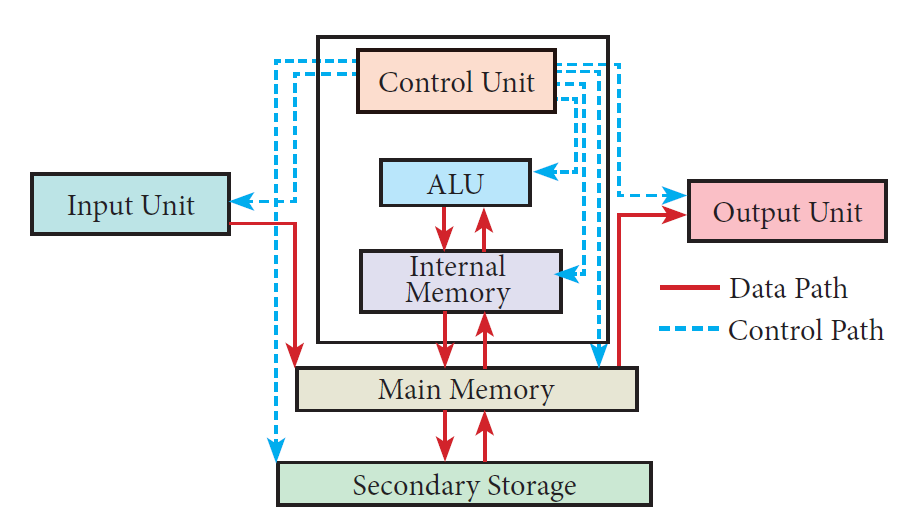
  • The computer is a combination of hardware and software.
  • Hardware is the physical component of a computer like a motherboard, memory devices, monitor, keyboard etc., while the software is the set of programs or instructions. Both hardware and software together make the computer system to function.
Fundamentals of Computers

Input Unit

  • The input unit is used to feed any form of data to the computer.
  • Example: Keyboard, mouse, etc.

Microprocessor / Central Processing Unit (CPU)

  • It is known as the brain of the computer.
  • The CPU or microprocessor is a programmable multipurpose silicon chip. It is driven by clock pulses.
  • It accepts input as binary data and after processing, it provides the output data as per the instructions stored in the memory.

The microprocessor is made up of 3 main units. They are:

Arithmetic and Logic Unit

  • ALU performs arithmetic operations such as addition, subtraction, multiplication, division and logical operations.
  • The result of an operation is stored in the internal memory of the CPU.

Control unit

  • The control unit controls the flow of data between the CPU, memory and Input / Output devices.

Registers (Internal Memory)

  • It serves as the main memory, also known as primary memory or semiconductor memory.
  • They hold the instruction and data for the execution of the processor.

Characteristics of Microprocessors

A Microprocessor’s performance depends on the following characteristics:-

Clock speed Every microprocessor has an internal clock that regulates the speed at which it executes instructions.
The speed at which the microprocessor executes instructions is called the clock speed.
Clock speed is measured in MHz (MegaHertz) or in GHz (Giga Hertz).  
Instruction Set A command which is given to a computer to perform an operation on data is called an instruction. A basic set of machine-level instructions that a microprocessor is designed to execute is called an instruction set.
The instruction set carries out the following types of operations
1. Data transfer
2. Arithmetic operations
3. Logical operations
4. Control flow
5. Input/output  
Word Size The number of bits that can be processed by a processor in a single instruction is called its word size.
Word size determines the amount of RAM that can be accessed by a microprocessor.

Types of Micro-processors

Depending on the data width that microprocessors can process, microprocessors can be classified as

  1. 8-bit microprocessor
  2. 16-bit microprocessor
  3. 32-bit microprocessor
  4. 64-bit microprocessor

Output Unit

  • Output Unit is any hardware component that conveys information to users in an understandable form.
  • Example: Monitor, Printer etc.

Memory Unit

  • A memory is just like a human brain. It is used to store data and instructions.
  • Computer memory is the storage space in the computer, where data and instructions are stored.

Type of Input Devices

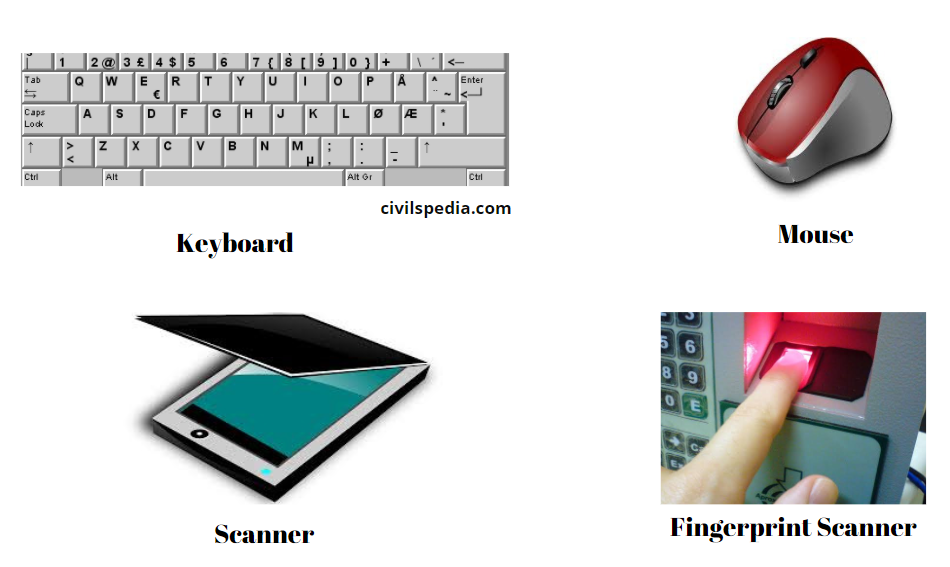
1 . Keyboard

  • The keyboard is the most common input device used today.
  • It has the keys for letters, numbers and special characters. It also has Function keys for performing different functions.
  • Note: Keyboard was introduced with 84 keys. Nowadays, a minimum of 101 keys is present on the keyboard (frequently asked question).

2. Mouse

  • The mouse is a pointing device used to control the movement of the cursor on the display screen. It can be used to select icons, menus, command buttons or activate something on a computer.
  • The mouse was invented and developed by Douglas Engelbart and was patented in November 1970.
  • There are different types of mouse
    1. Mechanical Mouse
    2. Optical Mouse
    3. Laser Mouse
    4. Air Mouse
    5. 3D Mouse
    6. Tactile Mouse
    7. Ergonomic Mouse
    8. Gaming Mouse

3. Scanner

Scanners work like a Xerox machine. They convert any type of printed or written information including photographs into a digital format.


4. Fingerprint Scanner

  • Fingerprint Scanner is a fingerprint recognition device that works on biometric recognition technology.
  • It is more secure and convenient than passwords as passwords are vulnerable to fraud and are hard to remember. On the other hand, every human has a unique fingerprint that can be used as a password to unlock the device using Fingerprint Scanner.

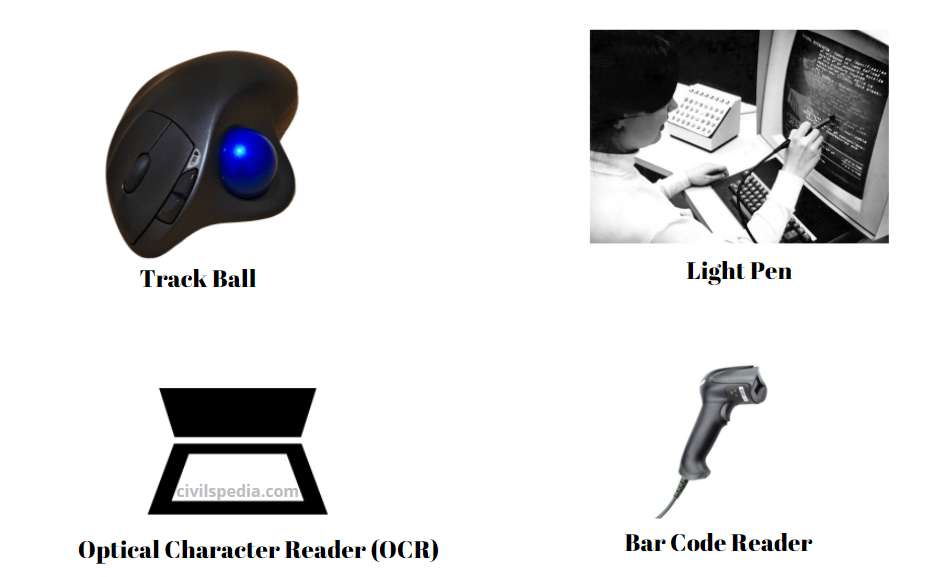
5. Track Ball

  • The trackball is similar to the upside-down design of the mouse.
  • In Track Ball, the user moves the ball directly while the device itself remains stationary. The user spins the ball in various directions to navigate the screen movements.

6. Light Pen

  • A light pen is a pointing device shaped like a pen and is connected to a monitor.
  • The tip of the light pen contains a light-sensitive element that detects the light from the screen enabling the computer to identify the location of the pen on the screen.

7. Optical Character Reader (OCR)

  • OCR is a device that detects characters printed or written on paper.
  • With OCR,  a user can scan a page from a book.  The Computer will recognise the characters on the page as letters and punctuation marks and stores them. The Scanned document can be edited using a word processor.

8. Bar Code / QR Code Reader

  • Bar code is a pattern printed in lines of different thickness. QR (Quick Response) Code is the two-dimensional bar code that can be read by a camera and processed to interpret the image.
  • The Bar code reader scans the information on the bar codes and transmits it to the Computer for further processing.

9. Digital Camera

  • Digital Camera captures images/videos directly in the digital form.
  • It uses a CCD (Charge Coupled Device) electronic chip. When light falls on the chip through the lens, it converts light rays into digital format.

10. Touch Screen

  • A touch screen is a display device that allows the user to directly interact with a computer by using the finger.
  • Touch screens are used on a wide variety of devices such as computers, laptops, monitors, smartphones, tablets, cash registers and information kiosks. 

11. Keyser

  • Keyser is a device for signalling by hand, by way of pressing one or more switches.
  • Modern keyers have a large number of switches but not as many as a full-size keyboard.
Type of Input Devices
Track Ball 
Optical Character Reader (OCR) 
Light Pen 
Bar Code Reader
webcam
keyser

Type of Output Devices

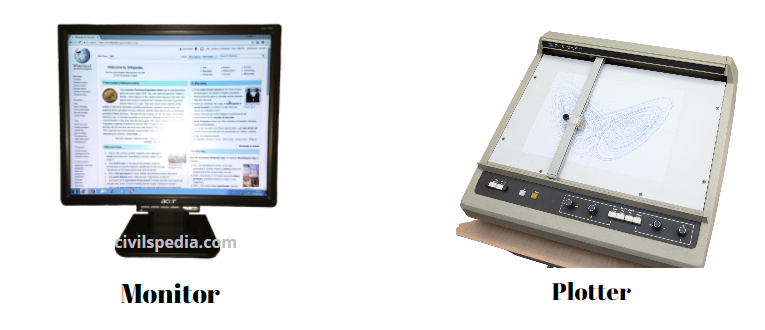
1 . Monitor

  • The monitor is the most commonly used output device to display the information.
  • It looks like a TV.
  • It is also known as a visual display unit.
  • Pictures on a monitor are formed with picture elements called PIXELS.
  • Monitors may either be  Monochrome which displays images in White or can be colour, which displays results in multiple colours.
  • There are many types of monitors available such as
    1. CRT (Cathode Ray Tube)
    2. LCD (Liquid Crystal Display)
    3. LED (Light Emitting Diodes).
  • The monitor works with the VGA (Video Graphics Array) card. The video graphics card acts as an interface between the computer and the display monitor. Usually, the recent motherboards incorporate built-in video card.

2. Plotter

  • The plotter is an output device that is used to produce graphical output on papers.
  • It uses single colour or multi colour pens to draw pictures.
Monitor 
Plotter

3. Printer

  • Printers are used to print the information on papers.
  • Printers are divided into two main categories:
    1. Impact Printers
    2. Non Impact printers

Impact Printers

  • These are the old type of printers.
  • With this type of printer, a character is formed when something strikes the paper and ribbon together.
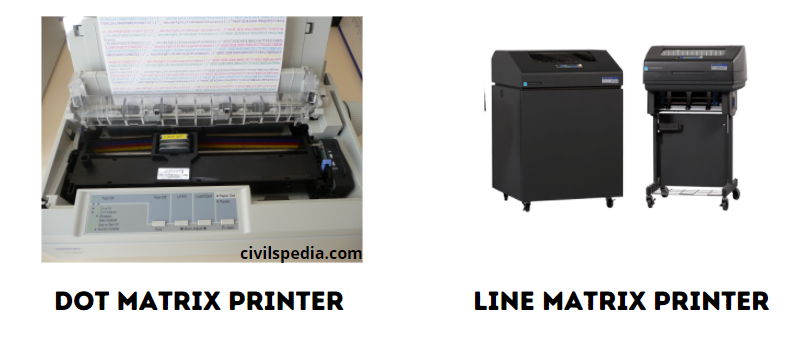
  • Examples: Dot Matrix printers, chain printer and Line matrix printers are impact printers.
    • Dot-matrix printer prints using a fixed number of pins or wires. Each dot is produced by a tiny metal rod, also called a “wire” or “pin”, which works by the power of a tiny electromagnet or solenoid, either directly or through a set of small levers.  It generally prints one line of text at a time. The printing speed of these printers varies from 30 to 1550 CPS (Character Per Second).
    • Line matrix printers use a fixed print head for printing. Basically, it prints a page-wide line of dots. But it builds up a line of text by printing lines of dots. Line printers are capable of printing much more than 1000 Lines Per Minute, resulting in thousands of pages per hour.
  • These printers also use mechanical pressure to print on multi-part (using carbon papers).
Impact Printers

Non-Impact Printers

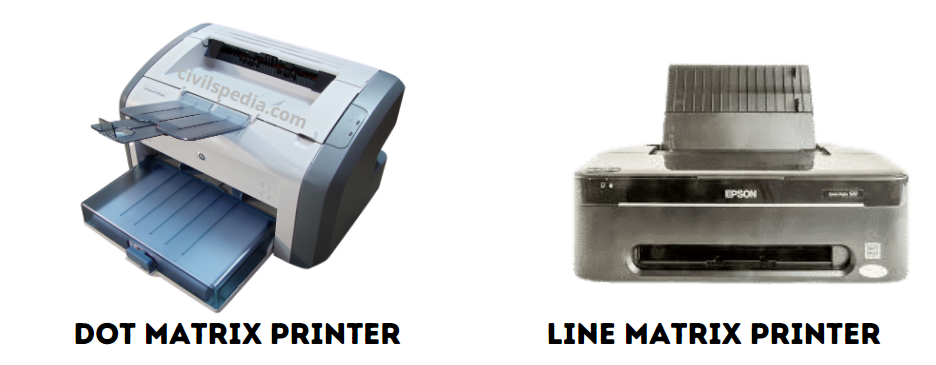
  • These printers do not use striking mechanism for printing. They use ink spray, toner powder, electrostatic or laser technology to form the character.
  • The quality and speed of these printers are better than Impact printers.
  • Laser printers and Inkjet printers are non-impact printers.
    • Laser printers mostly work with similar technology used by photocopiers.  It makes a laser beam scan back and forth across a drum inside the printer, building up a pattern. It can produce very good quality graphic images. One of the chief characteristics of a laser printer is its resolution – i.e. Dots per inch(DPI). The available resolution range around 1200 dpi. Approximately it can print 100 pages per minute (PPM).
    • Inkjet Printers use colour cartridges that combined Magenta, Yellow and Cyan inks to create colour tones. A black cartridge is also used for monochrome output. Inkjet printers work by spraying ionised ink on a sheet of paper. The speed of Inkjet printers generally ranges from 1-20 PPM.
Non-Impact Printers

4. Speakers

  • Speakers produce voice output (audio).
  • Using speaker along with speech synthesise software, the computer can provide voice output. This has become very common in places like airlines, schools, banks, railway stations, etc.

5. Multimedia Projectors

  • Multimedia projectors are used to produce computer output on a big screen.
  • These are used to display presentations in meeting halls or in classrooms.

Type of Memories

Memory Unit is of two types which are primary memory and secondary memory.

  1. Secondary memory is used to store the data permanently. For example Hard disk, CD-ROM and DVD ROM.
  2. Primary memory is used to store data temporarily.

Primary Memory

  • Primary memory is used to temporarily store the programs and data when the instructions are ready to execute.
  • For example : Random Access Memory (RAM).

Random Access Memory (RAM)

  • Random Access Memory is available in computers in the form of Integrated Circuits (ICs).  It is the place in a computer where the Operating System, Application Programs and the data in current use are kept temporarily so that they can be accessed by the computer’s processor.
  • RAM is a volatile memory, which means that the information stored in it is not permanent.  As soon as the power is turned off, whatever data resides in RAM is lost.
  • It allows both read and write operations.

Secondary Memory

Read-Only Memory (ROM)

  • Read-Only Memory refers to special memory in a computer with pre-recorded data that cannot be modified.
  • ROM stores critical programs such as the program that boots the computer.
  • Data on the ROM chip cannot be modified or removed and can only be read.
  • ROM retains its contents even when the computer is turned off. So, ROM is called non-volatile memory.

Programmable Read-Only Memory (PROM)

  • Programmable read-only memory is also a non-volatile memory on which data can be written only once. Once a program has been written onto a PROM, it remains there forever.
  • PROM differs from ROM.  PROM is manufactured as blank memory, whereas a ROM is programmed during the manufacturing process itself. A PROM programmer or a PROM burner is used to write data to a PROM chip. 

Erasable Programmable Read-Only Memory (EPROM)

  • Erasable Programmable Read-Only Memory is a special type of memory that serves as a PROM, but the content can be erased using ultraviolet rays.

Electrically Erasable Programmable Read-Only Memory (EEPROM)

  • Electrically Erasable Programmable Read-Only Memory is a special type of PROM that can be erased by exposing it to an electrical charge.

Cache Memory

  • The cache memory is a very high speed and expensive memory, which is used to speed up the memory retrieval process.
  • Due to its higher cost, the CPU comes with a smaller size of cache memory compared with the size of the main memory. Without cache memory, every time the CPU requests the data, it has to be fetched from the main memory which will consume more time.

Secondary Storage Devices

  • A computer generally has a limited amount of main memory which is expensive and volatile. To store data and programs permanently, secondary storage devices are used.
  • Secondary storage devices serve as supportive storage to main memory and they are non-volatile in nature.
  • Secondary storage is also known as Backup Storage.

1 . Hard Disk

  • A hard disk is a magnetic disk on which you can store data.
  • The hard disk has the stacked arrangement of disks accessed by a pair of heads for each of the disks.

2. Compact Disk (CD)

  • A CD or CD-ROM is an optical disk made from 1.2 mm thick polycarbonate plastic material.
  • CD data is represented as tiny indentations known as  “pits”.
  • Data stored in the CDs are read with the laser.
  • The capacity of an ordinary CDROM is 700 MB.
  • Note: James T. Russell invented CD in 1960.

3. Digital Versatile Disc (DVD)

  • A DVD (Digital Versatile Disc or Digital Video Disc) is an optical disc capable of storing up to 4.7 GB of data, more than six times what a CD can hold.
  • DVDs are often used to store movies at a better quality.
  • Like CDs, DVDs are read with a laser.

4. Flash Memory

  • Flash memory is an electronic (solid-state) non-volatile computer storage medium that can be electrically erased and reprogrammed. They are either EEPROM or EPROM. 
  • Examples for Flash memories are pen drives, memory cards etc.

5. Blu-Ray Disk

  • Blu-Ray Disc is a high-density optical disc similar to DVD. DVD uses a red laser to read and write data. But, Blu-ray uses a blue-violet laser to write. Hence, it is called as Blu-Ray.
  • A double-layer Blu-ray disc can store up to 50GB (gigabytes) of data.
  • Blu-ray is the type of disc used for PlayStation games and for playing High-Definition (HD) movies.

6. USB

  • USB = Universal Serial Bus
  • Dov Moran invented USB Flash Drive in 1996.
  • It helps in taking data from one place to another.
  • It can be used again and again.
  • CD and DVD have the disadvantage that they get damaged due to scratches which are not associated with Pendrive.

7. Floppy

  • Floppy is a small portable magnetic disk.
  • IBM made the first floppy in 1972.
  • It can store a small amount of memory. Eg: the initial Floppy disk made in 1978 had a storage capacity of 360 KB of data. Later HD (high density) floppy disk was released, with a storage capacity of 1.44 MB. 

Secondary Storage Devices

Software

Software is a set of instructions that perform a specific task. Parts of computer which are virtually present and cant be touched are known as Software.

The software can be classified into two types i.e. (1) Application  Software and (2) System Software.

1 . Application Software

  • Application software is a set of programs to perform a specific task.
  • For example, MS-word is an application software to create a text document and VLC player is a familiar application software to play audio, video files and many more. 

2. System Software

  • System software is a type of computer program that is designed to run the computer’s hardware and application programs.
  • Examples include Operating System and Language Processor.

India has a well-developed software industry because

  • Not much capital required to set up the Software industry (Just a computer will do).
  • The English language is understood by the majority of Indians.
  • Human Resources are present.

Operating System

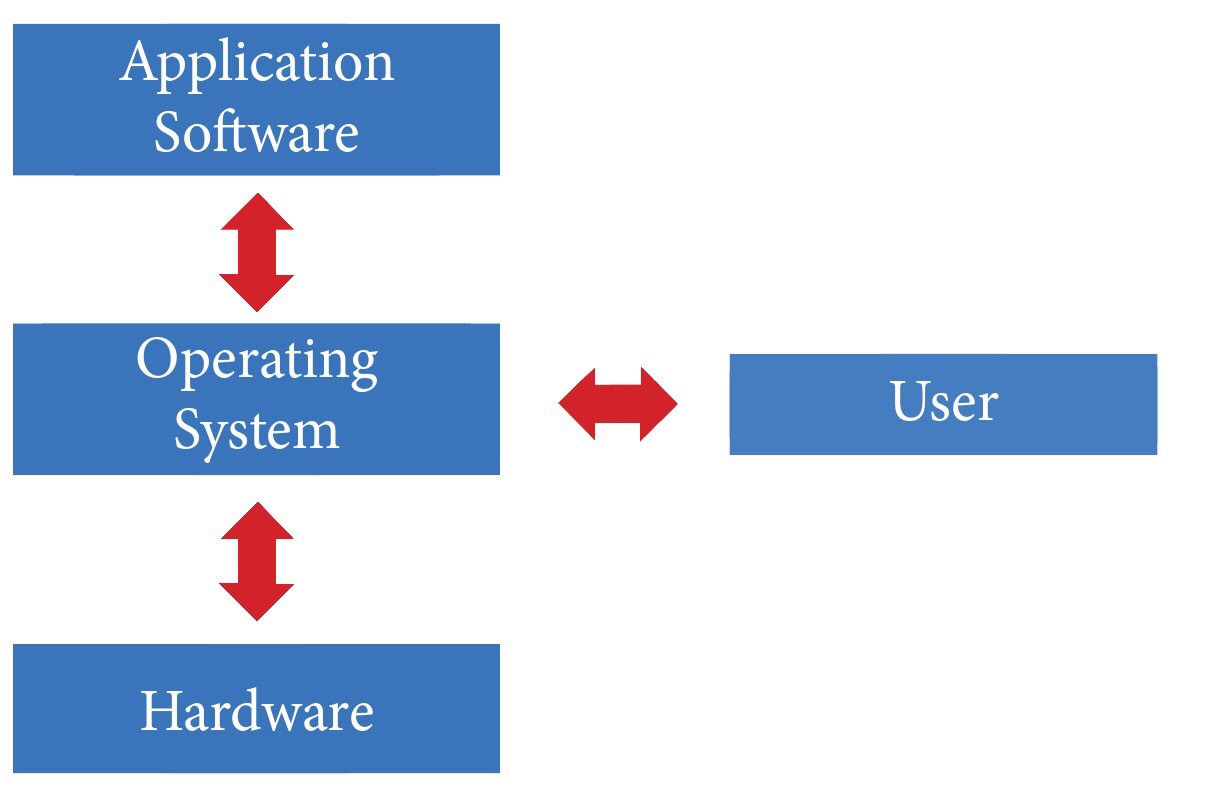
  • An Operating System (OS) is system software that serves as an interface between a user and a computer.
Application Software 
Operating System 
Hardware 
User
  • The functions of an Operating System include file management, memory management, process management and device management and many more. Without an Operating System, a computer cannot effectively manage all the resources.
  • When a computer is switched on, the operating system is loaded into the memory automatically.
  • Famous Operating Systems include
    1. Windows (of Microsoft)
    2. Android (of Google)
    3. Macintosh (for MacBook) and iOS (for iPhone and iPad)
    4. Ubuntu (Linux)


Security challenges and their management in (coastal) border areas

Security challenges and their management in (coastal) border areas

This article deals with ‘Security challenges and their management in (coastal) border areas.’ This is part of our series on ‘Internal Security’, which is an important pillar of the GS-3 syllabus. For more articles, you can click here.


Introduction

  • India has a long coastline of 7,516 km (5,400 km mainland + 2,200 km with island territories).
  • India’s coastline runs through 9 states, i.e. Gujarat, Goa, Maharashtra, Karnataka, Kerala, Tamil Nadu, Andhra Pradesh, Odisha and West Bengal and 4 Union Territories viz. Daman & Diu, Lakshadweep, Puducherry and Andaman & Nicobar Islands.
  • Apart from that, the following things make Indian Coastal Security a difficult proposition.
    1. diverse range of topography, such as creeks, backwaters, deltas, lagoons, estuaries etc., characterizes India’s coast.
    2. Indian coast has proximity to politically volatile, economically depressed and unfriendly countries such as Sri Lanka, Bangladesh and Pakistan.
    3. India has an unsettled maritime boundary with Pakistan (Sir Creek). Apart from that, the maritime boundary with Sri Lanka (Katchatheevu Island) and Bangladesh is not respected by the fisherman, and they frequently venture into each other’s territory.


Strategic importance of Coasts to India

  • India’s maritime trade constitutes 90% by volume and 77% by value of India’s total trade.
  • Three Indian metros (out of four) are situated along the coast, including India’s financial centre – Mumbai. 
  • Ports and industrial units located in the coastal cities are the backbones of the Indian economy. 
  • A large number of military installations are also situated on Indian coasts.
  • Oil refineries and offshore oilfields like Bombay High are situated on the coasts. 
  • Nuclear power plants like Kudankulam, Tarapore etc., are situated on the Indian coast.

All these are susceptible to attack and remain the target of terrorist organizations (funded by our envious neighbours).


Maritime Security Challenges

India faces the following Maritime Security Challenges.

  1. Maritime Terrorism
  2. Piracy and Armed Robbery, especially in the Sundarbans   
  3. Smuggling of gold, electronic goods, narcotics and arms
  4. Human Trafficking
  5. Infiltration, Illegal Migration and Refugee Influx
  6. Straying of fishermen beyond the maritime boundary.
  7. Global trade has shifted from the Atlantic-Pacific to the Indo-Pacific and brought the world powers to fight for their space in the Indian Ocean which forms India’s backyard. 
  8. Chinese advances in the Indian Ocean through the String of Pearls and the Maritime Silk Road threaten India.

Of these, maritime terrorism features as the most potent threat.


It should be noted that

  • In 1993 Mumbai Serial Bomb Blasts, ammunition and bombs reached Mumbai via sea.
  • In 1991, the assassins of Rajiv Gandhi came from Sri Lanka by sea.
  • During the 26/11 Taj Attack in Mumbai, terrorists reached Mumbai via Sea.
  • India has an unresolved maritime border dispute with Pakistan, i.e. Sir Creek Issue.
  • Bangladeshi pirates are active in Sundarbans.
  • Smuggling of gold and drugs happens via sea.
  • Many Rohingya entered India via sea, evading all the security checks.

Side Topic: Maritime security challenge posed by China

  • The String of Pearls and China’s One Belt One Road Policy poses a significant threat to Indian interests in the Indian Ocean Region.
  • Building and revitalizing port facilities in Gwadar, Hambantota and Chittagong in South Asia, to Mombasa, Dar-e-Salam and on the East Coast of Africa are aimed at encircling India. Increased Chinese naval footprint in the Indian Ocean would come into conflict with India’s sphere of strategic influence, triggering a chain of events that could eventually lead to a larger strategic confrontation. 
  • All weather Sino-Pakistan Alliance, with its anti-Indian solid slant, complicates our security problems further.
  • China is mapping the undersea terrain in the Indian Ocean Region to advance submarine operations.

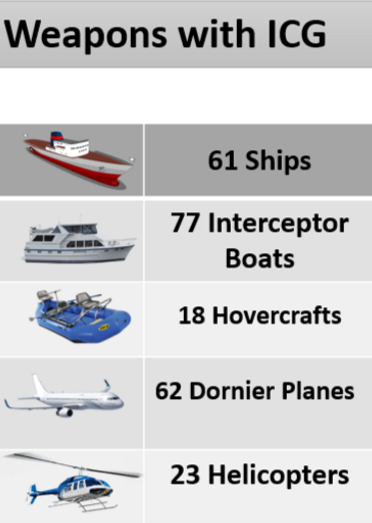
Indian Coast Guard (ICG)

ICG was established in 1978 (& placed under the Ministry of Defence) due to the following reasons

  • The Nag committee of 1970 opined that the Navy was not trained for such an act and recommended to setup Coastal Guard.
  • In 1972, UNCLOS awarded Exclusive Economic Zones to coastal states. A special force was required to protect and police it.
  • In 1974, oil was found in the Arabian Sea, and Bombay high was built. The government felt the need for a special force to protect such assets.
  • To prevent the rampant sea-borne smuggling happening through both the Arabian Sea and the Bay of Bengal.

Duties and Functions of ICG

  • Enforcement of Indian Maritime Laws, Regulations and International Treaties.
  • Ensuring the safety and protection of artificial islands, offshore terminals and other structures.  
  • Providing protection to fishermen.
  • Preserve and protect the maritime environment.
  • Assisting the customs in anti-smuggling operations.

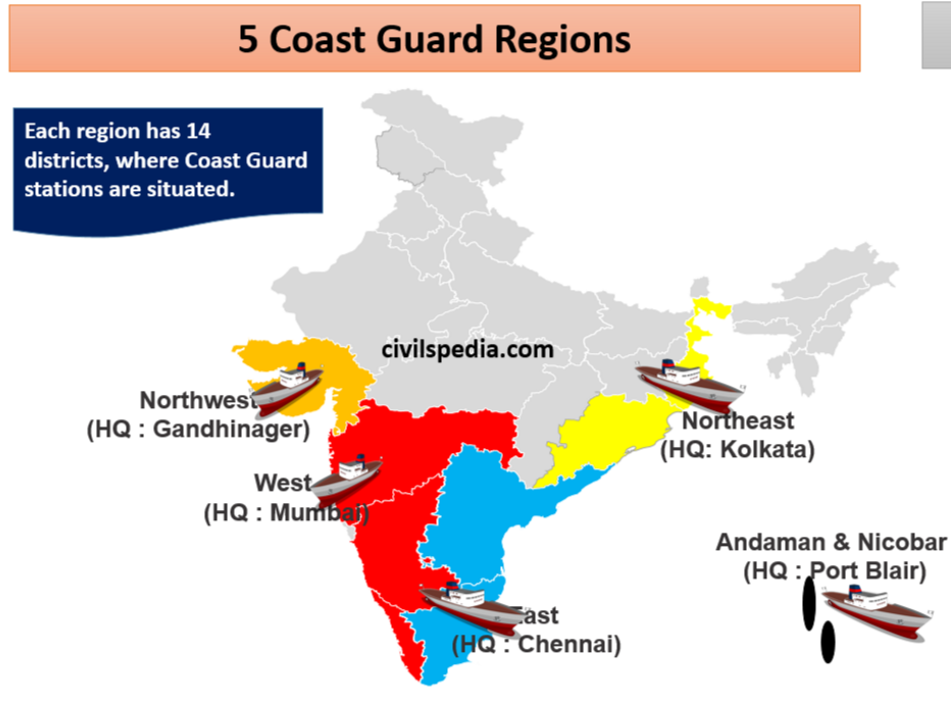
Structure of the Indian Coast Guard

Coast Guard of India
Security challenges and their management in (coastal) border areas

Changes required in ICG

  • The ICG should be designated as the single authority responsible for coastal security. Indian Navy should be eased out from coastal security responsibilities.
  • There is a lack of desired workforce along with water and air assets in the ICG.
  • ICG should be treated as a border guarding force and brought under the Ministry of Home Affairs (MHA) (presently, it is under the Ministry of Defence).

Marine Police

  • Marine Police was created under the Coastal Security Scheme (CSS) that was launched in 2005.
  • Aim: To strengthen infrastructure for patrolling and surveillance of the shallow areas close to the coast.
  • Mandate:
    1. To patrol the territorial waters (12 nautical miles into the sea).
    2. Pursue legal cases pertaining to their area of responsibility
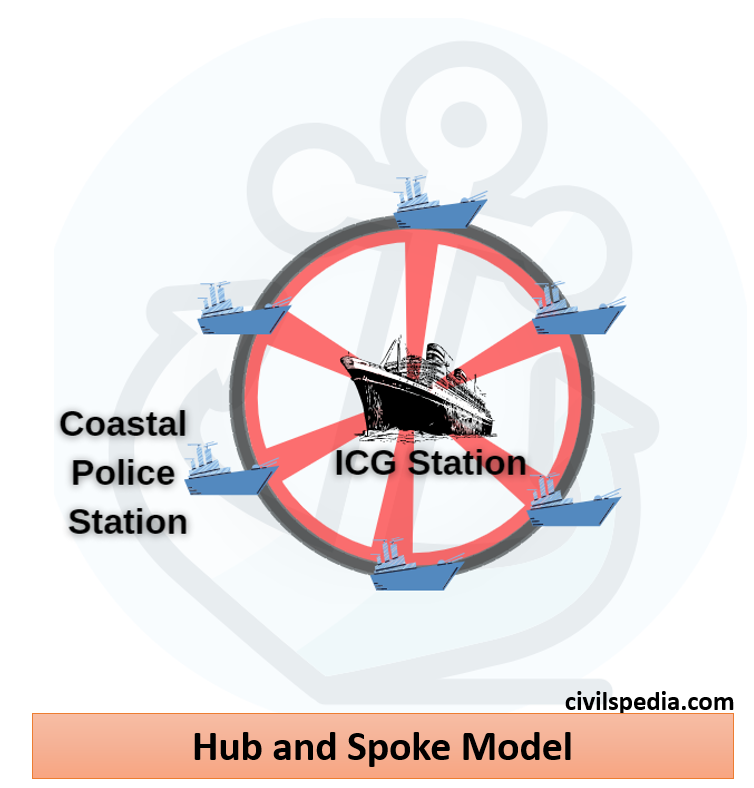
  • Marine Police works on the ‘Hub and Spoke Model’ in association with the Coast Guards, with ‘hub’ being the ICG station and ‘spokes’ being the coastal police stations.
Marine Police

Coastal Security Architecture

After Mumbai Attacks, a multi-layered system of Marine Protection involving the Indian Navy, Coast Guard and Marine Police of the coastal States and Union Territories is in place.


Jurisdiction of Territorial Waters

It involves the Indian Navy, Coast Guard, Marine Police, Customs, and Fishermen.

Outer Layer (beyond 200 Nm) Navy
Intermediate Layer (12-200 Nm) Indian Coast Guard
Territorial Waters (12 Nm) Marine Police
Navy Bases Sagar Prahari Bal
Fisher Community Known as as Sagar Suraksha Dal (SSD)

Sagar Prahari Bal, or Ocean Strike Unit, comprises 1000 personnel raised by the Navy. Their mandate is the protection of the naval bases and co-located vulnerable areas.

The Water Wing of BSF is responsible for securing the creeks and waterways in the Gulf of Kutch, the Gulf of Cambay and the Sunderbans.

After the 26/11 Mumbai attacks, Indian Navy has been made the core of the coastal security system. The complete responsibility of the defence of the entire coastal and offshore areas was handed over to the Indian Navy. The Indian Coast Guard (ICG), the Marine Police and other central and state agencies are to support the Indian Navy.


Sagar Suraksha Dal

  • Sagar Suraksha Dal is an informal group comprising fishermen and trained volunteers from the coastal areas. 
  • Their role consists of surveillance and intelligence gathering. They share information on any suspicious happenings or vessels.

Electronic Surveillance

  • It is a network comprising the coastal radar chain.
  • Apart from India, the Navy is also seeking to expand India’s surveillance footprint by setting up radar stations in the Maldives, Myanmar and Bangladesh. Mauritius, Seychelles and Sri Lanka have already integrated into the wider coastal radar chain network.

Maritime police stations

  • Maritime Police Stations have been opened under the Coastal Security Scheme.
  • A total of 204 Maritime Police Stations have been opened in two phases.

Monitoring, Control and Surveillance of  Fishermen

  • For the identification of fishermen at sea, a scheme for issuing biometric identity cards has been started.  
  • The Indian Navy and the Coast Guard are conducting coastal-awareness campaigns for the fishermen’s community.
Schemes

  • Indian Maritime Security Strategy (IMSS) 2015 of Indian Navy: It envisages greater coordination between different maritime agencies.
  • Coastal Security Scheme (CSS) is being implemented to strengthen the security infrastructure of the Marine Police Force in coastal states/UTs.
  • Coastal Surveillance Network: It aims to provide near-gapless electronic surveillance of the entire coastline and prevent the intrusion of undetected vessels. It comprises Coastal Radar Chain and the Automatic Identification System (AIS). 
  • Operation Sagar Kavach was implemented post-26/11 to improve coordination between security agencies, including Indian Navy, Coast Guard and the local police. Its latest edition was held in June 2022 in Chennai.
  • Indian Ocean Naval Symposium: It is a platform to provide a forum for the discussion of maritime issues in the Indian Ocean Region. 

Way forward

  • The states have been reluctant to give importance to sea-borne threats. The marine police are poorly equipped and ill-trained. The MHA should concentrate on training the marine police and upgrading their infrastructure.
  • Due to insufficient funds, the Navy and ICG are woefully short in human resources and firepower. Government should give proper funds to these services.
  • Along the lines of many developed countries, India needs to adopt a participative and multi-national integrated border management system.

Demographic Theories

Demographic Theories

This article deals with ‘ Demographic Theories .’ This is part of our series on ‘Society’ which is an important pillar of GS-1 syllabus. For more articles, you can click here.

What is demography?

  • Demography is the statistical study of the human population. It includes the study of size, structure and distribution of population as well as changes in time and location in response to birth, migration, ageing and death.

Demographic Theories

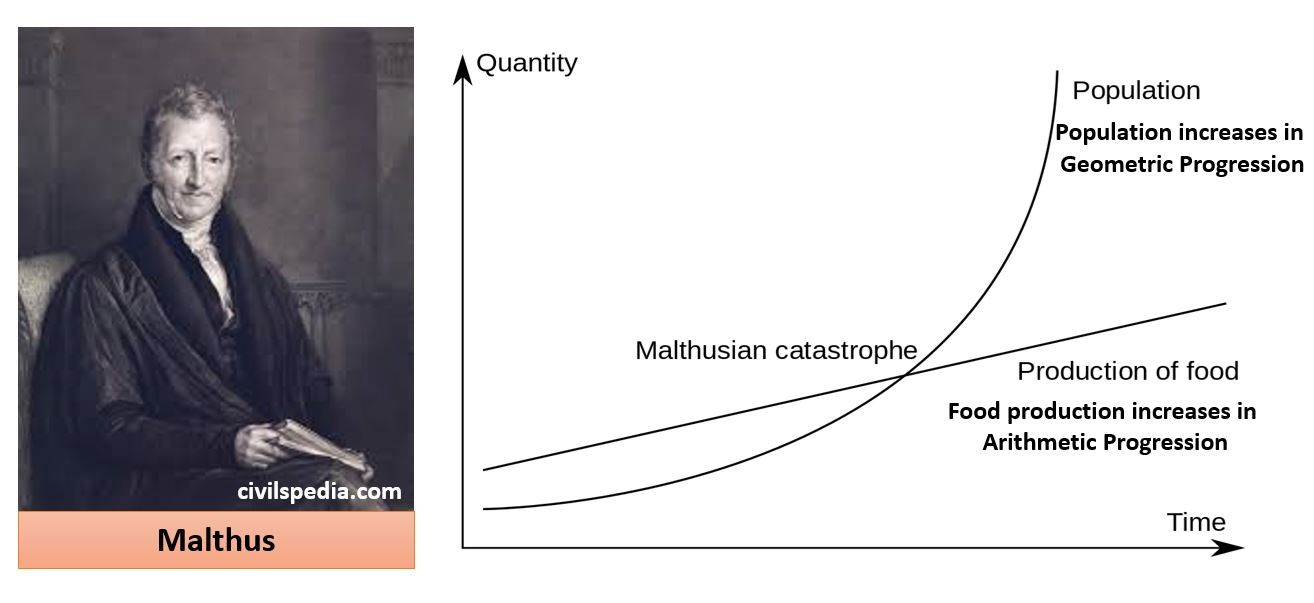
Malthusian Theory

  • Humanity is condemned to live in poverty forever because Human population grow at a much faster rate than food resources. According to Malthusian Theory
    • Food production increases in Arithmetic Progression (AP) while
    • Population increases in Geometric Progression (GP).
  • Hence, to make a balance between population vs food supply nature uses positive checks
Positive checks by nature famine disease
Preventive checks by humans delayed marriage Family Planning
  • According to Malthus, famines and diseases were inevitable as they are nature’s way of dealing with the imbalance between food supply and increasing population.
Demographic Theories

Debate: Has the Malthusian theory lost its significance? 

  • Some experts opine that with the world surplus of food and advances in medical science, the theory of positive checks of nature of Malthus has become obsolete. 
  • Whereas other experts are of the view that we are observing the change in positive checks of nature. These include 
    1. With world temperature rising due to global warming, the ocean level is rising.
    1. Increase in frequency of natural disasters due to climate change
    2. Attack of new pests on crops. 
    3. The new type of pandemics caused by new pathogens like the Corona Virus. 

Demographic Transition Theory

Phase-1: Period of stagnant or stationary

  • The period from 1901-1921.
  • The growth rate during this phase was very low, even recording a negative growth rate during 1911-1921. 
  • Both the birth rate and death rate were high keeping the rate of increase stagnant.
  • Poor health and medical services, illiteracy of people at large and inefficient distribution system of food and other necessities were largely responsible for a high birth and death rates in this period.
Period of stagnant or stationary

Phase-2: Period of steady population growth

  • The period from 1921-51
  • An overall improvement in health and sanitation throughout the country brought down the mortality rate. At the same time, better transport and communication system improved food distribution system. But birth rate remained high in this period leading to a higher growth rate than the previous phase.

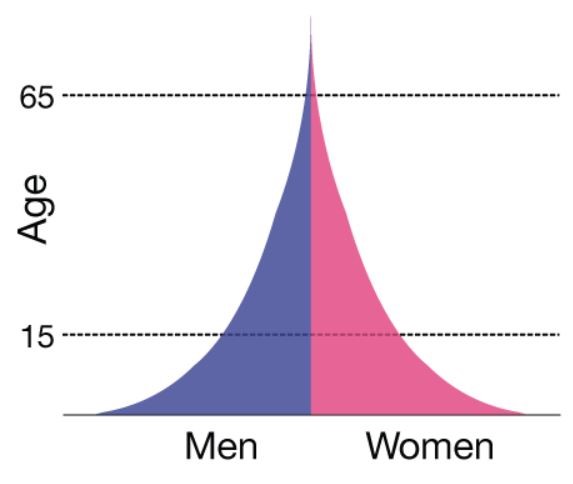
Phase-3: Period of Population Explosion

  • Period of 1951-1981.
  • This was caused by a rapid fall in the mortality rate due to control over famines and epidemics but a high fertility rate of population in the country. (It should be noted that death rates can be brought down relatively quickly through advanced methods of disease control, public health, and better nutrition. However, it takes longer for society to adjust to change and alter its reproductive behaviour.)
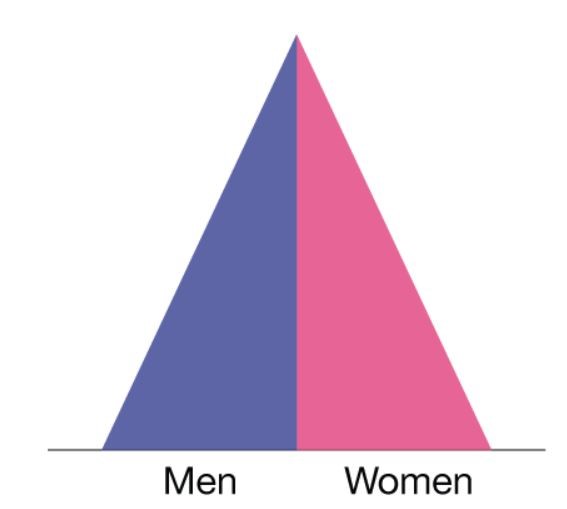
Period of Population Explosion

Phase-4: Period of Moderate Growth

  • Period post-1981 till present.
  • The growth rate of the country’s population though remained high, started slowing down gradually. This was due to a moderate decline in fertility due to the use of modern contraceptives. 
Period of Moderate Growth

Phase 5 : Period of Contraction

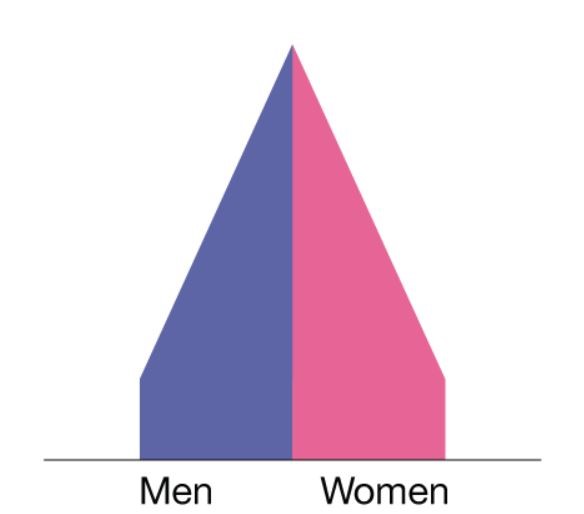
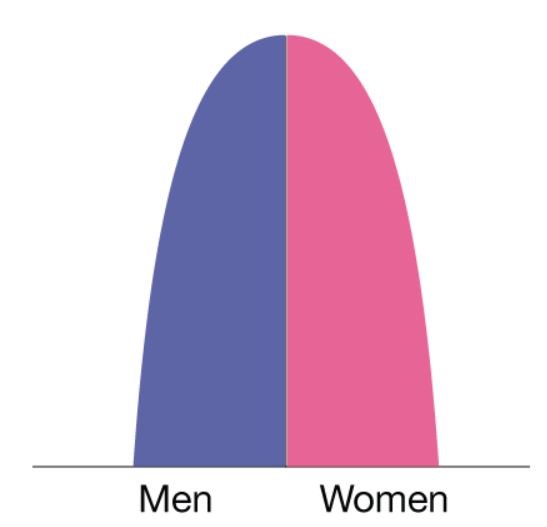
  • India has not entered this phase. Developed countries like Japan and western European nations are in this phase. 
  • During this phase, the population starts to contract due to low birth rate although the death rate is also very low.
Period of Contraction

  Birth rate Death Rate
Phase 1 HIGH HIGH
Phase 2 High Medium
Phase 3 HIGH Low
Phase 4 MEDIUM LOW
Phase 5 LOWEST LOWEST

Trade and Commerce from 200 BC to 300 AD

Trade and Commerce from 200 BC to 300 AD

This article deals with  Trade and Commerce from 200 BC to 300 AD . This is part of our series on ‘Ancient History’ which is an important pillar of GS-1 syllabus. For more articles, you can click here.

Silk Route

Trade and Commerce from 200 BC to 300 AD
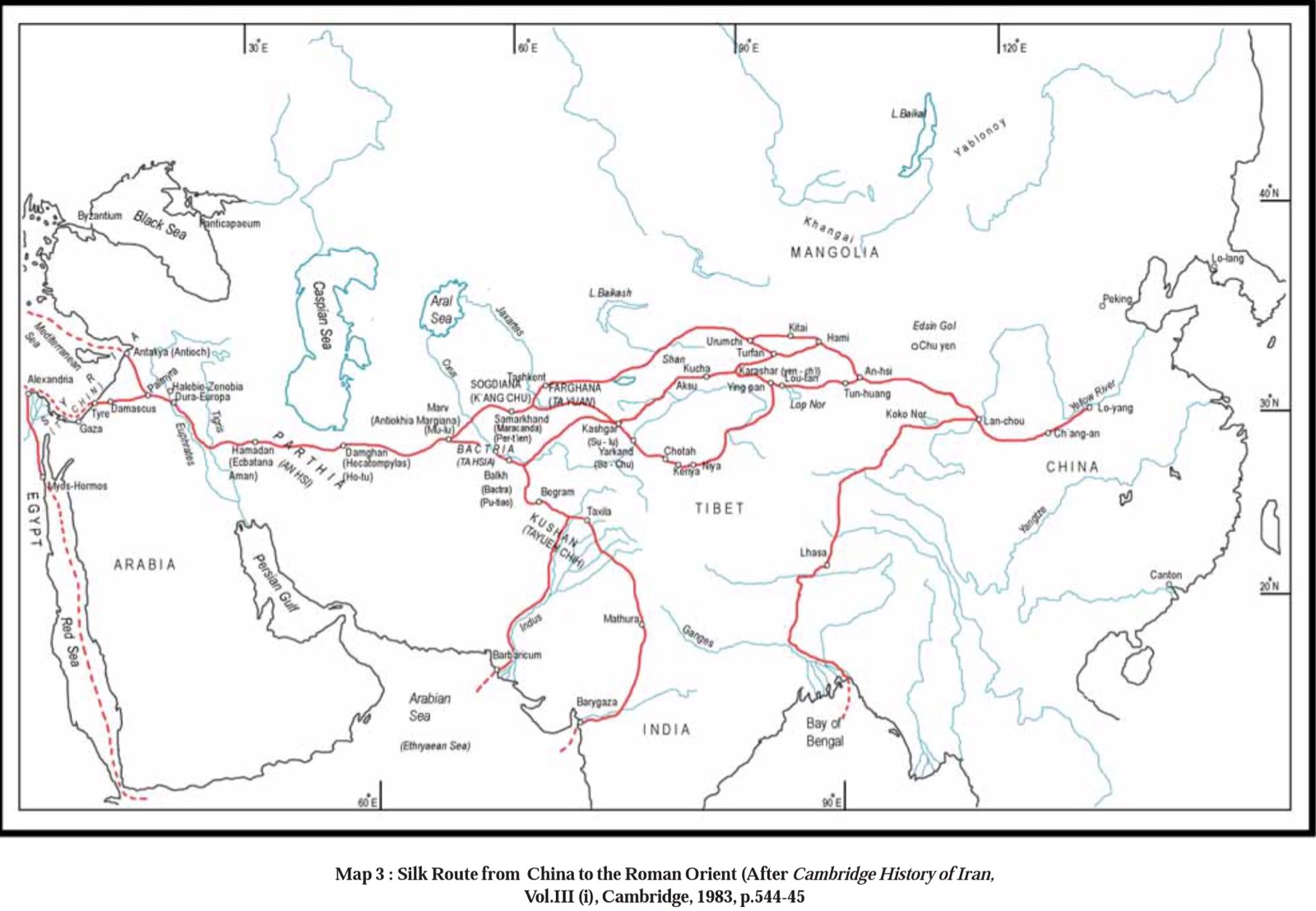
  • Silk Route extended was 4,350 km long stretching from Lo-yang on Hwang – He in China to Cteisiphon on Tigris in West Asia.
  • There was flourishing long-distance trade during this period corroborated by
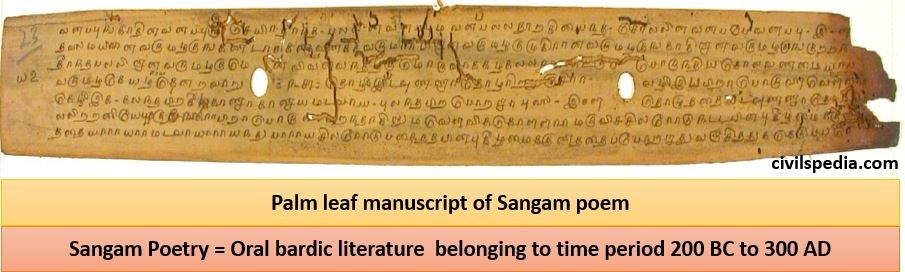
    • Texts: Jataka Stories has stories of trade with Suvarnadvipa (South East Asia) and Ratnadvipa (LANKA) , Sangam Poetry (Indo-Roman trade)  , Periplus Maris Erythraei etc.
    • Archaeology: Dwarka & Bet Dwarka in Gujarat, Kaveripattinam, Muziris etc.
  • A major stimulus to trade was due to
    • The demand for Chinese silk in the Mediterranean Region. Chinese silk was traded through India rather than being sent directly. The reason was the political situation. Parthians were powerful rulers along the North-Western boundary of the Indian subcontinent. There was constant hostility between them & the Roman Empire. Hence, trade routes between China & the Roman Empire were disturbed. (Route : China TO India via Silk Route => Indian Ports of Barbaricum (on Indus) & Baroach => Alexandria)
    • Existence of Kushana rule which provided stability  & safety to trade + reduction in tariffs.
    • Traders started to take advantage of Monsoon winds. Periplus speaks about Hippalus’s discovery of Monsoon winds.
  • Trade with China was disturbed at the end of the 3rd century because of certain reasons like Han Dynasty ended in 220 AD, the Byzantine Empire broke away from Rome and  Kushana Empire collapsed. However trade didn’t end altogether, there were some changes in routes. Trade shifted southward with the main emphasis on oceanic trade (i.e. earlier Silk to India was brought overland and then from India went to the Mediterranean world by Sea but now whole supply route shifted to Sea Route).

Trade with East & South-East Asia 

  • Earlier, the relation between India & South-East Asia seen as political & cultural colonisation of the latter. But that perception has changed now as there were reciprocal links between India & South  Asia.
  • Ancient Sanskrit & Pali Text refer to South Asia as  Suvarnadvipa & Suvarnabhumi i.e. land of gold and associated with riches.
  • Since coinage was absent in SE Asia – trade must have been Barter or with the use of cowrie shells .

Major imports & exports included

Export 1. Cotton Cloth
2. Sugar
3. Certain kind of pottery
Import 1. Gold 
2. Spices (cinnamon & cloves)
3. Aromatics   

Some of these items especially Spices were shipped to the western world. Trade in spices was an attempt to meet the great demand of spices from the Roman world. Indian production alone couldn’t satisfy their needs.

Indo – Roman Trade

Trade increased during this period  because 

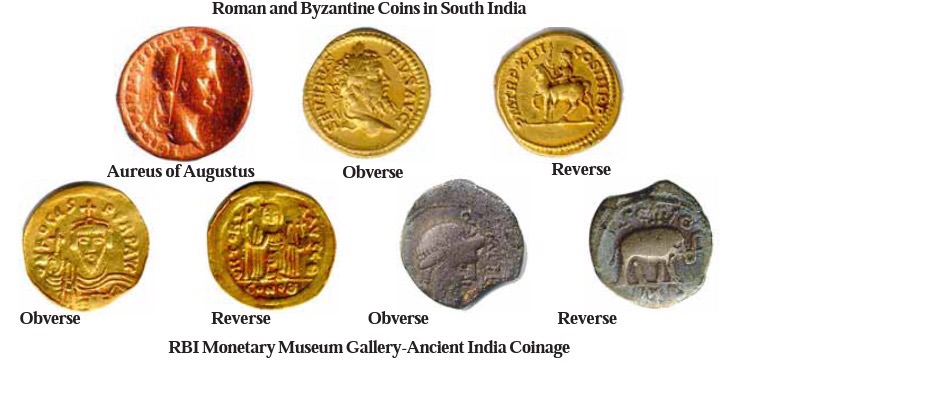
  1. By the end of the last century BCE, Rome emerged as the superpower of the Mediterranean world, displacing the Greek kingdoms, and the republic became an empire in 27 BCE under Emperor Augustus. Rome was the largest and wealthiest city in the world and wealth of Rome greatly increased the demand for various products from India, especially the spices and textiles of the Tamil country, resulting in a great expansion of trade.
  2. Discovery of the pattern of monsoon winds in the Arabian Sea in the first century CE by Hippalus, an Egyptian sailor. Till then, only Arabs had the knowledge of these winds giving them monopoly of trade between India and Mediterranean world.
  3. Overland route between India and Roman Empire became vulnerable to attacks by Parthians in Iran due enmity between Romans and Parthians.

Items of Export

  1. Spices (especially Pepper) 
  2. Fragrant woods
  3. Silk came from China to India and from India send to Roman World
  4. Cotton fabric from Madurai
  5. Pearls

Items of Import

  1. Roman wine 
  2. Yavana lamp 
  3. Coins
  4. Coral
  5. wheat for the Graeco-Romans in the Tamil ports.

Roman Coins

  • Indians imported very few goods but were eager to get precious metal, so quest for Roman gold was driving force behind India’s International trade.
  • Large number of Roman coins have been discovered, especially in South India .
  • Roman Kings whose coins found
Maximum – Maximum coins belonged to the reign of Augustus (31 BC -14 AD) and Tiberius (14 AD – 37 AD) . \
Interestingly , their local imitations also found .
Post-Nero Post-Nero (64AD) due to debasement of Roman currency shortage of Roman Coins seen.
  • Issue of Drain of Gold from the Roman Empire
    • Roman Gold was the main item of demand in return for Indian Exports (especially spices) .
    • Periplus  & Sangam poems tell us about the ships of Yavannas coming with gold & returning with black pepper.
    • Romilla Thappar has called Black Pepper as Black Gold of India due to gold India was getting in return for pepper 
    • In fact drain of wealth was so much that Romans became anxious. Roman historian Pliny complained of the trade with the east being a serious drain on the income of Rome. 1/5th of gold used in trade was being sent to India for Spice Trade
Roman and Byzantine Coins

Impact of Trade on other fields

1 . Impact on Science

Two branches  of science were surely impacted

1.1 Astronomy

  • Deep-sea navigation required reliable study of stars. Hence, it received a mercantile patronage.
  • Astronomy also developed due to the exchange of ideas with West Asia where this field was already very much developed.

1.2 Medicine

  • Indian herbal knowledge reached the western world.
  • Greek botanist Theophrastus in ‘History of Plants’ tells about the medicinal use of various Indian plants and herbs  .

2. Impact on Culture

2.1 Western World

North India was very much impacted by Hellenistic ideas as

  • The emergence of Gandhara art.
  • Indian folk-tales and fables travelled westwards (Panchatantra)  .
  • Chaturanga –  chess using four traditional wings of army & played by 4 players reached Persia.   
  • Certain aspects of the life of Christ-like supernatural birth & temptation by Devil influenced by legends of life of Buddha .

2.2 Central Asia

  • Buddhism reached to Central Asia through Traders. 
  • Indian traders patronised Buddhist Monasteries at places like Kashgar, Kucha, Khotan etc.

2.3 China

  • Goods of Chinese origin started to be used in India. Bamboo, Chinese Patta etc. clearly show that they were Chinese. 
  • Buddhist missionaries arrived in China & established themselves at Famous White House Monastery at Lo Yang (starting point of Silk Route) .

2.4 South East Asia

  • Legends about the origin of kingdoms in south-east Asia trace the story back to Indian princes and merchants. Eg: Indian brahman, Kaundinya, is said to have married a Cambodian princess, & introduced Indian culture to Cambodia. 
  • Indian literature narrates the adventures of Indian travellers in these part .

Sangam Literature

Sangam Literature

This article deals with ‘ Sangam Literature ’. This is part of our series on ‘Ancient History’ which is an important pillar of GS-1 syllabus. For more articles, you can click here.

What is Sangam Literature?

  • Sangam literature is  oral bardic literature  belonging to time period 200 BC to 300 AD.

The legend associated with Sangam Poetry

History of the Sangam is clogged in legends.

  • Tradition says there were three Sangams patronised by Pandyas when Scholars assembled to publish their works . Work of only last one survives .
  • Word Sangam is of Indo Aryan Origin and is used nowhere in Sangam Literature. Scholars like Kamil Zvelebil argue that it should be called Classical Literature .
  • In reality, Poems were not the product of Sangam. Poems were much earlier composed in oral form by Bards between 200 BC to 300 CE. Word Sangam was associated with them when commentaries on it were written in 12-14th Century under Pandya patronage .
Sangam Place Chairman Kingdom Books
First Then-madurai Agasthya Pandya No book survived
Second Kapatapuram Agasthya Pandya No book survived
Third  Madurai Nakirrar Pandya Covers entire corpus of Sangam literature

These poems were written by 

  • Bards who roamed about singing in praise of their patron chiefs and heroes .
  • Some  were also composed by scholarly poets who followed the bardic tradition like Kapilar  and Gautamanar .

Two genre i.e. Akam and Puram

The whole text is presented in two genres

Akam – Love poems
Deal with the inner life of people  .
Love is expressed in separation & union ; before or after marriage & extramarital love  .
Puram Public or War Poems Deals with the outer life of people. Speak of  public celebration of the feats of the heroes even the death of heroes in wars .

Tinai Concept & Sangam Poems

According to the Tinai concept, Tamilaham was divided into five landscapes or eco-regions, Aintinai namely Kurinji, Palai Mullai, Marutam and Neital. Each region had distinct characteristics – a presiding deity, people and cultural life according to the environmental conditions .

Tinai Meaning  Akam Theme Puram Theme
Kurinji Hilly Zone Clandestine meeting of the hero and the heroine Cattle Raid
Palai Arid Zone  Separation of lovers Victory
Mullai Pastoral Tracts patient waiting on the part of wife for the return of her husband from a journey Invasions
Marutam Wet land /Riverine landscape Lover’s quarrel due to hero’s infidelity Seige of enemy fort
Neital Sea Coast Bemoaning the lover’s absence  Fierce Battle

Problem in Dating

There is problem in dating as  several periods are represented in Sangam Literature

  • Period of actual composition and oral transmission2nd century B.C. to A.D. 3rd century.
  • Period of the codification when written form was given : 6th and 9th centuries.
  • Period  of the commentaries : 12th – 14th centuries ( under Pandyan rulers of Madurai) – These commentaries infact give name Sangam to whole corpus 

it is hard to clearly sort out the earlier from the later as they are all mixed up

Other Points

  • Poet in Sangam Poetry doesn’t speak through his / her own persona but uses various characters such as heroine , her friend , her foster mother or hero as his mouthpiece .
  • Spanned over a few centuries, the poems reflect the gradual development of the Tamil language and literature
  • It is a great source of Socio-Economic life as well . Poets have taken real life situations for similes, metaphors etc .

Classification

Ettutokai Consist of 8 collections of Poems (out of 8, 6 belong to Sangam Period)  
Pattuppattu Ten songs
9 out of 10 songs belong to Sangam Age .  
Grammar Tolkappiyam (Author – Tolkapiyar) is a work of Tamil Grammar. Earliest parts of the first two books of Tolkappiyam belong to Sangam Period & rest  belong to later date  corresponding to 400-500 AD .  

Sangam Literature is not a homogenous corpus either in time or in style but spread over vast time of 5 centuries and later additions in main texts .

Sangam Poetry

These were quite spontaneous songs created by bards in praise of heroes & powerful chiefs.

Side Topic : Importance of these bards

  • Most important basis of legitimisation of political power in south India was eulogy of poets . Poet’s praise of  generosity & heroism of King that could attain lasting fame for him & conversely , poet’s anger could prove costly .
  • Sangam texts are secular in nature because unlike Vedic texts , they were composed by various poets in praise of heroes & heroines .

What Sangam Poems tell ?

1 . Sangam Poems are pervaded with a warrior ethic .

  • The goal of the hero of Puram poems was Pukal (glory , fame) and heroic death was greatly valued.
  • It was believed that the spirit of a warrior who died in battle dwelt in Paradise. A poem suggests that those who didn’t die in battle were cut with swords before funerary rights to simulate death in battle.

“If a child of my clan should die,

if it is born dead, a mere gob of flesh

not yet human,

They will put it to the sword, to give the thing a warrior’s death”

  • Losing one’s life in the battle, and that too with wounds on the chest was considered a great honour. On the contrary, wounds on the back were considered a sign of cowardice or disgrace. Numerous poems speak about the delight of brave mothers over the death of their sons in the battle with wounds on the chest.

“Her delight

When she heard that her son fell in battle Felling an elephant,

 Was greater than at his birth”

  • The practice of Vattakiruthal is also mentioned in which defeated king committed ritual suicide by starving himself to death.

2. Cult of Hero Worship

  • Chiefs needed strong warriors. To attract , warriors were rewarded with the booty or land, if they happened to be alive. But more important was their reward if they lose their life by making them on par with Gods through Sangam Poems .

3. Geography

  • In ancient Sangam poetry, Tamilaham is portrayed as a combination of five Tinais (Aintinai) or 5 Ecozones and bards tried to correlate the activities to ecological perceptions. (as explained above)

4. Polity

Three type of Chiefs were mentioned in Sangam poems 

Kizar Little Chiefs Headman of village(Ur)  Some were subjugated by bigger chiefs and they served them in campaigns  & awarded in return .  
Velir Bigger Chiefs Intermediate chiefs who were less powerful than Vendars . They were many in number and controlled the territories of varied geographical nature, mainly hilly and forest areas, that were in between the muvendar’s fertile territories.  
Vendar Biggest Chiefs These were the most powerful chiefdoms. There were three Vendars also known as Muvendars . These included Chera, Chola and Pandya . They controlled the fertile territories and thus had more resources at their disposal . They also patronised the bards and poets so that they glorified their name and fame. Main concern of Vendars was subordination of Velir chiefs who were next in importance. For this, they adopted following ways :- Subjugation through combats . Marriage alliances : Cholas, Cheras & Pandyas often took daughters of Velir as wife.

5. Interaction between south and north

  • Sangam poems also reflect emergence of new basis of legitimisation by performance of Brahmanical sacrifices , establishing links with northern epic traditions etc .
  • Certain chiefs were described in poems to have emerged from sacrificial fire pits of northern sages like Sage Agasthya.
  • Sangam poets were familiar with the Mahabharata and Ramayana legends and infact Chola, Chera and Pandya kings claim to have fed the warring armies on the eve of war.

6. Trade with Yavanas

  • Sangam Poems refers to Yavanas (Romans) coming by ships into ports of South India bringing Gold and wine and sailing away with cargoes of Pepper from Kaveripattanam and Muziris. 

7. Social Classification

  • The social classification of Varna was known to Sangam Poets. There is mention of Arashar (King) , Vaishiyar (traders) & Velalar (farmers) . Brahmins are also mentioned .  However, 4 fold varna classification had little application to ancient Tamil Society. More relevant basis of classification was Kuti which were clan based descent groups  . Although associated with lineage and hereditary occupation , there were no real restrictions on inter dining and social interactions among Kuti Groups.

8. Position of Women

  • Interestingly there were 30 women composers . 
  • In these poems, women appear to be regularly labouring in the production process along with the men in different contexts . 60% of the agricultural process were associated with the women. 
  • We also find that , women were engaged in rearing of sheep and cattle (in Pasture Zone) . In Coastal Zone , they were engaged in Salt manufacturing .
  • There are also references of kings employing women bodyguards.
  • Women also appear in Sangam texts as proud and glorified mothers of heroes
  • Sangam poems speak about various types of prostitutes and illicit and stealthy love is also a regular theme 

9. Deities

These poems also tell about the various deities worshipped by people of Tamilaham in Sangam period . These deities were also associated with different Ecological Zones or Tinais . Now  it is considered that  seeds of Bhakti in south India lies in Sangam age.

Region Deities
Kurinji Murukkam (later identified with Karttikeya)
Mullai Mayon (later identified with Vishnu)
Marutam Ventan
Neytal Varunan  (god of Sea)
Palai Korravai (Devi)